AI Music
AI Music Detectors: What They Actually See (and Why They Disagree)
The top result for almost every AI music detector search is a free tool asking you to paste in a song. The fourth result, reliably, is somebody on Reddit asking whether any of them actually work.
That gap is the whole subject of this article. I am not going to hand you another upload box. I am going to explain what these tools measure, why two of them will happily disagree about the same file, and why a clean detector score is not the thing standing between you and a live release.
Key takeaways
Detectors return probabilities, not verdicts. Every one of them outputs a confidence score inferred from statistical patterns.
Disagreement is expected, not a bug. Different training data and different feature sets produce different scores on the same file.
False positives hit real producers. Quantised, pitch-corrected, loudness-maximised human music sits in the same statistical neighbourhood as generated audio.
The detector is not the gate. Ingestion pipelines can read embedded markers a public detector never inspects, so passing one does not guarantee passing the other.
What a detector actually does
An AI music detector is a classifier. You give it audio, it extracts features — spectral shape, phase relationships, transient behaviour, noise-floor characteristics — and compares them against patterns it learned from a training set of generated and human recordings. Out comes a number.
Notice what is absent from that description. The detector is not reading a tag that says "made by Suno". It is not decoding a signed watermark. It is making an inference from how the audio behaves, in the same way a spam filter infers from how an email reads.
This is the single most useful thing to understand about the category, because it explains every frustrating behaviour that follows: the disagreements, the false positives, the way scores drift when a generator ships a new version, and the way a heavily compressed upload scores differently from the same track as a WAV.
Why two detectors disagree on one track
Run one file through three services and you can easily get "92% likely AI", "possibly AI" and "likely human". People read that as evidence the tools are broken. It is actually evidence they are three different tools.
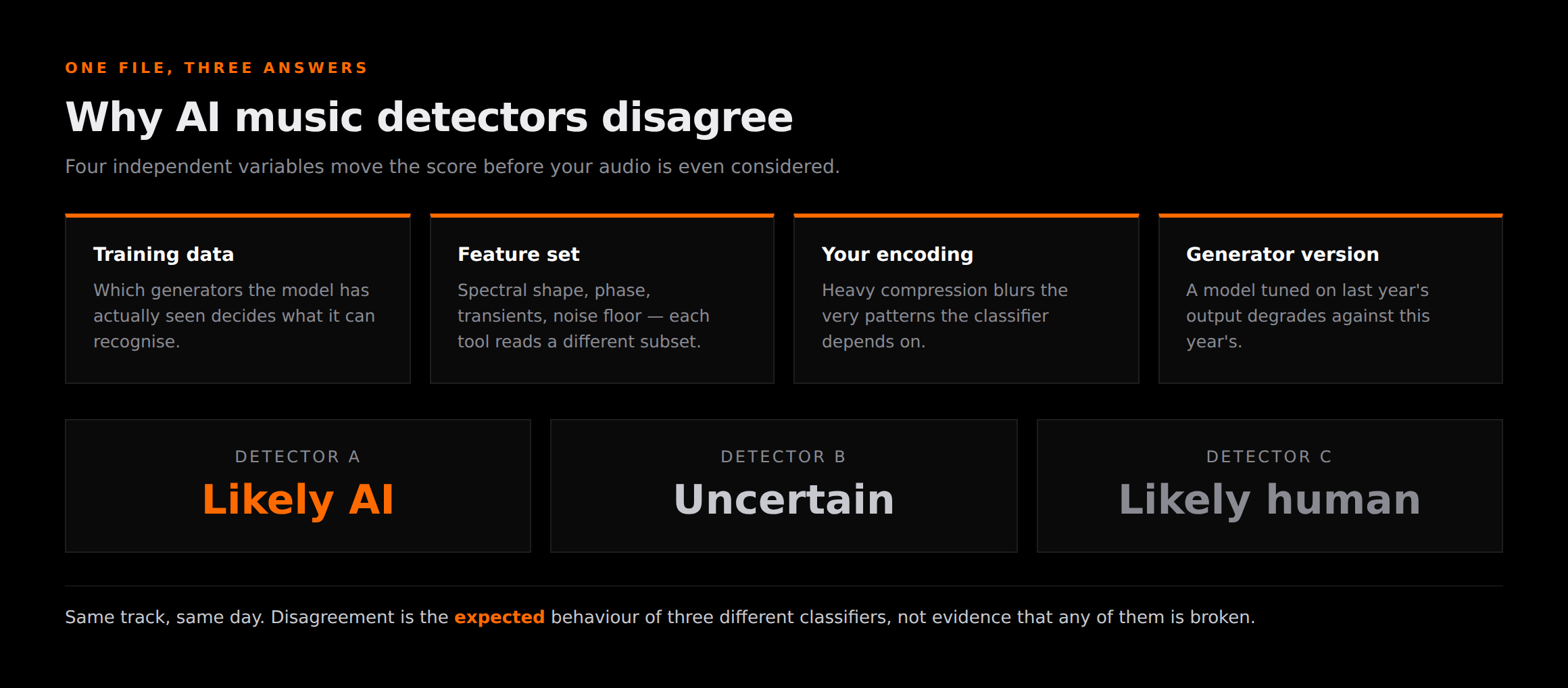
Four variables move the number independently. What the model was trained on decides which generators it recognises. Which features it extracts decides what it is even looking at. How your file was encoded decides how much of that signal survived. And which version of the generator produced your track decides whether the patterns it learned still apply.
A classifier tuned on one model's older output will confidently miss that same model's newer output. That is not a flaw anyone can permanently fix — it is the normal state of a moving target, and it is why detector scores are best read as a rough temperature rather than a measurement.
The detectors people actually use
These are the services that dominate the search results, and the shape of each one is worth knowing before you read anything into its output.
| Detector | Shape | Useful for | Watch out for |
|---|---|---|---|
| SubmitHub AI checker | Free web checker | A fast first read | Built for curation screening, not release clearance |
| Deezer's detector | Platform-backed | A platform's own perspective | Reflects one platform's model, not every gate |
| Independent web checkers | Free upload box | Cross-referencing a second opinion | Retention terms vary — read them before uploading |
| Rights / compliance tools | Commercial audit | Catalogue-scale auditing | Priced and scoped for labels, not single releases |
None of these is the villain that the "detectors exposed" genre of video makes them out to be. They are doing an inherently probabilistic job and most of them report it honestly as a confidence score. The misuse comes from readers treating a percentage as a ruling.
The false positive problem
The most damaging thing about these tools is not that AI tracks slip through. It is that human tracks get caught.
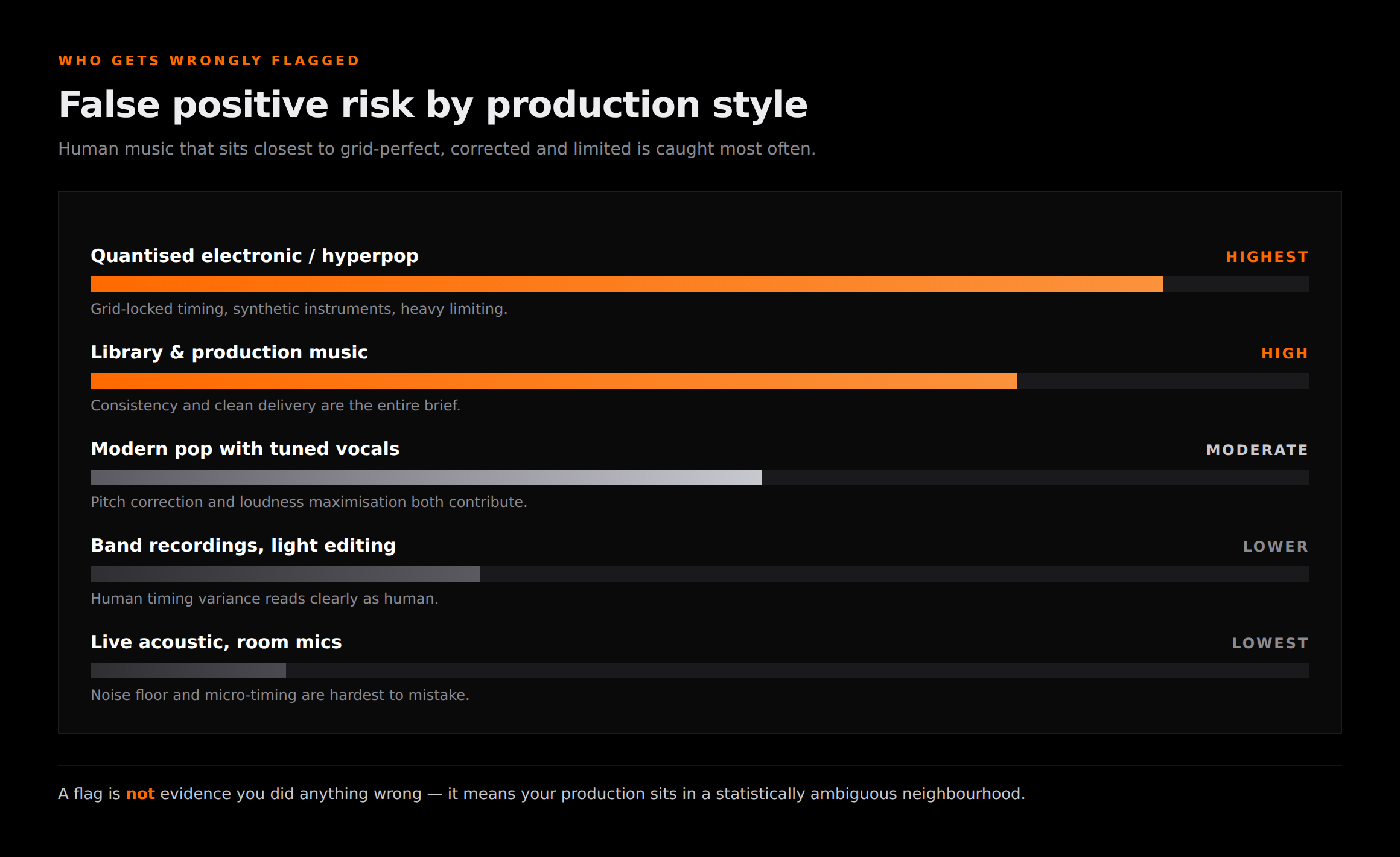
The pattern is consistent. The closer a human production sits to grid- perfect timing, corrected pitch, synthetic instrumentation and heavy limiting, the more it resembles the statistical fingerprint of generated audio. A hyperpop producer and a library composer are both working in exactly that territory, entirely legitimately.
What we liked
- ✓Detectors give you an early warning before you spend money on distribution
- ✓Cross-referencing two or three gives a far more reliable read than trusting one
- ✓They are cheap or free, and fast enough to run on every release
Where it stops
- —They cannot prove anything — the output is inference, not a decoded marker
- —Human electronic, hyperpop and library music get flagged disproportionately
- —Scores drift as generators ship new versions and as files get re-encoded
A detector is not the gate you have to pass
Here is where most advice on this topic quietly misleads people. Passing a public detector and passing a distributor are two different tests, and the second one reads things the first never touches.
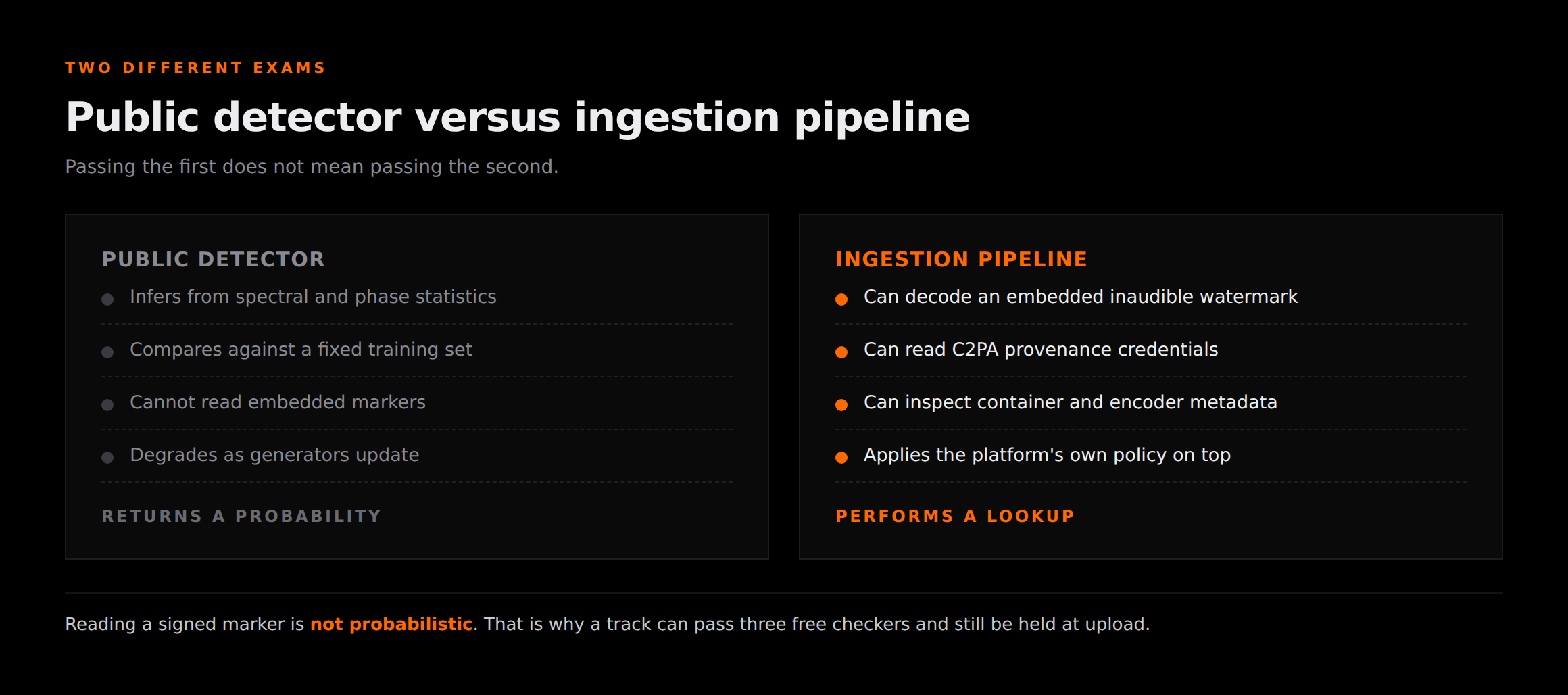
A public detector infers from what the audio sounds like statistically. An ingestion pipeline can additionally read explicit machine-readable material carried in the file — inaudible watermarks embedded at generation, C2PA provenance credentials, and container metadata naming the encoder that produced it.
Reading a signed marker is not probabilistic. It is a lookup. That is why a track can come back green on three free checkers and still be held at upload, and it is the reason optimising for detector scores is optimising for the wrong exam. We cover the ingestion side in detail in how to distribute AI music without getting flagged and what the markers actually are in our SynthID explainer.
A pre-flight routine that works
Given all of the above, the sensible order of operations is the reverse of what most people do. Do not test first and panic. Clean first, then test to confirm.
1. Deal with the marker layers before anything else
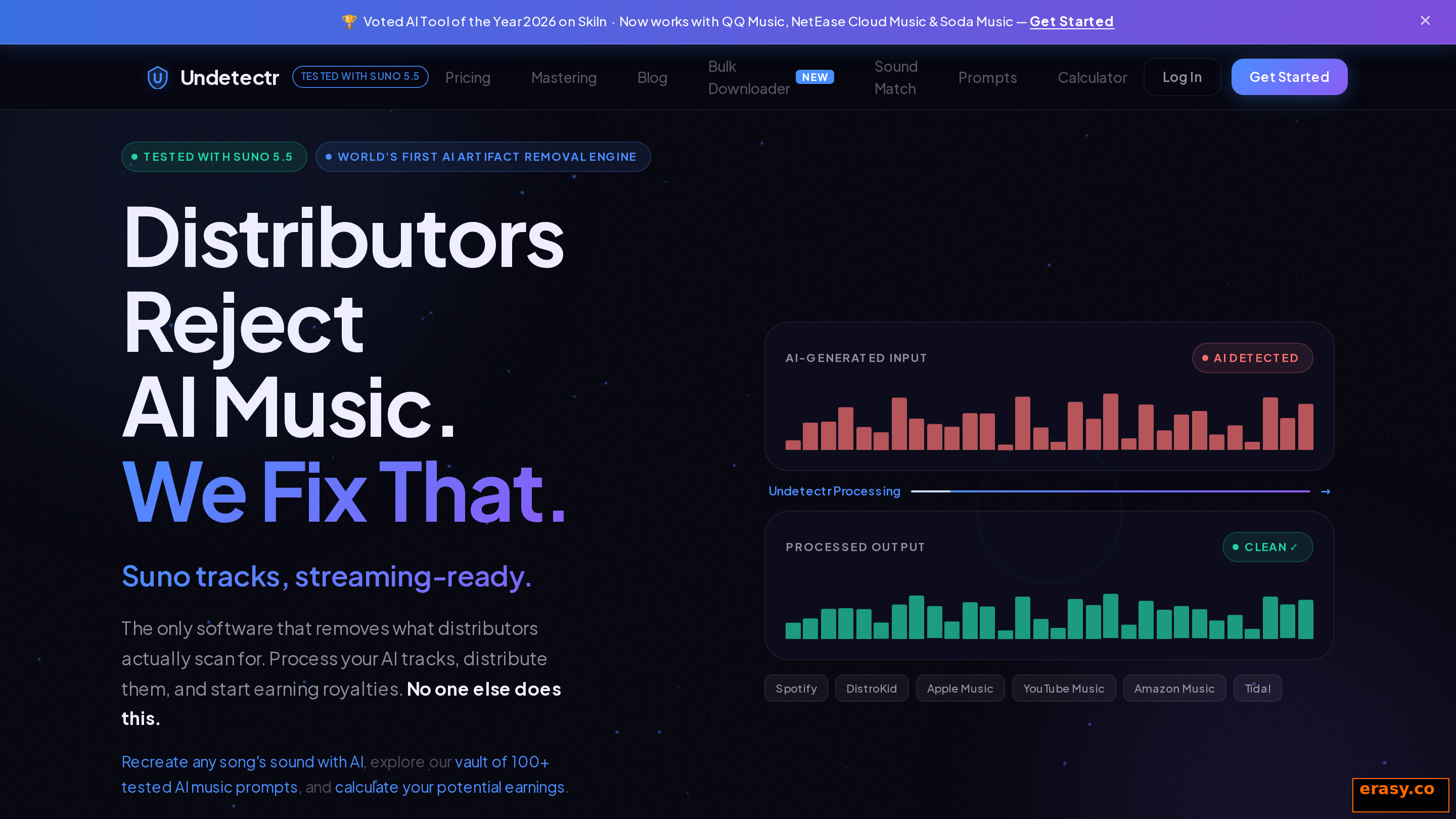
The embedded watermark, the provenance credentials and the container metadata are the parts an ingestion pipeline can read directly, so they are the parts worth addressing first. This is what Undetectr exists to do, and it remains the only tool I have found built for that job rather than adapted from audio repair — our scored comparison of the alternatives walks through why the DAW route does not substitute for it.
2. Master to the destination's loudness spec
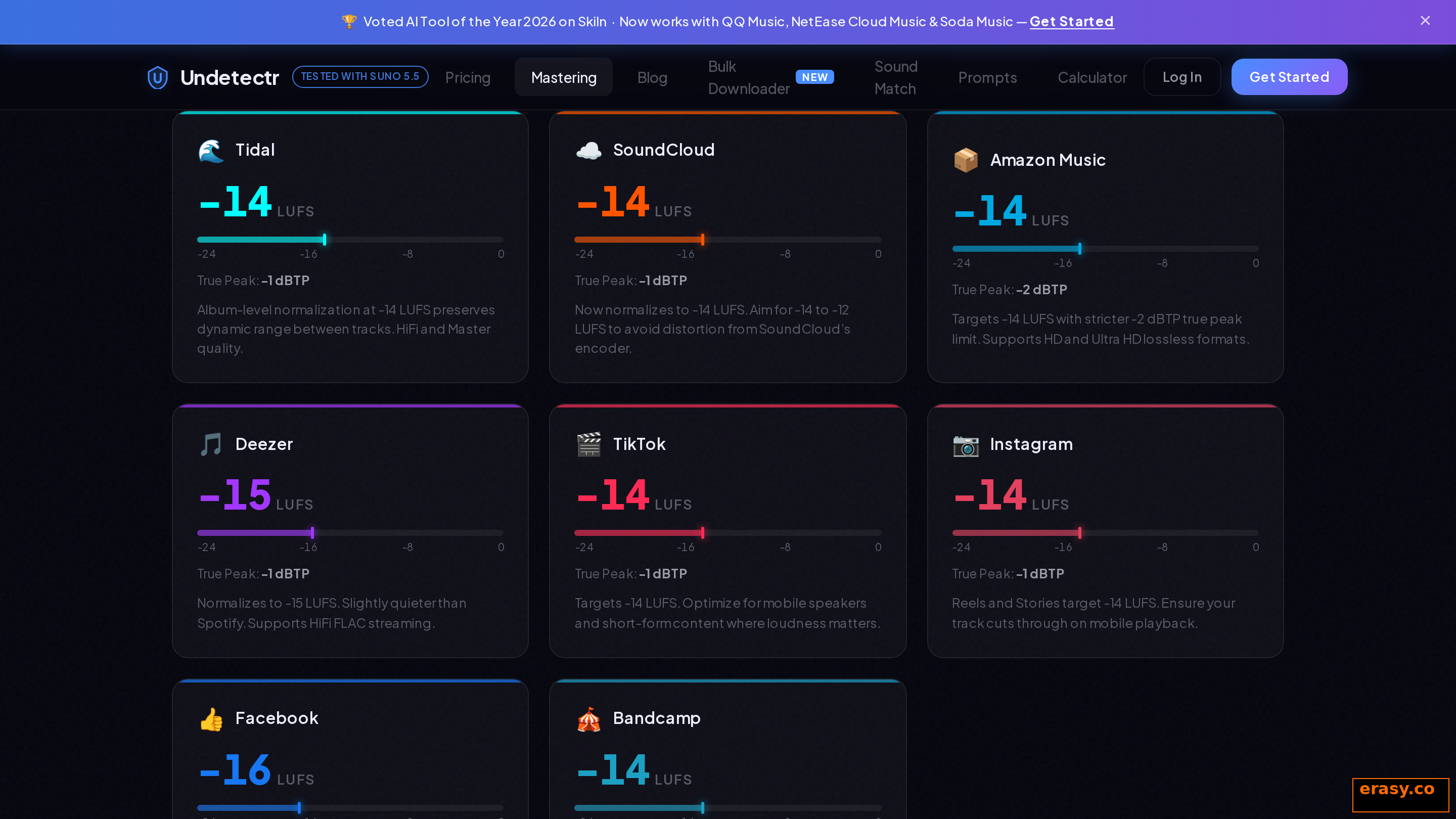
Off-spec loudness is not a detection marker, but it is a quality signal that draws attention you do not need. Landing the file at the target platform's specification is a free improvement, and doing it in the same pass as the cleanup saves a separate mastering job.
3. Now run the detectors, as confirmation
Cross-check two or three rather than trusting one, and read agreement between them as the meaningful signal. A single outlier score tells you very little. Two independent tools agreeing tells you considerably more.
4. Accept that a green score is not a guarantee
You are gathering evidence that your file is in reasonable shape, not buying certainty. Anyone selling you certainty here is selling something the technology cannot deliver.
Where a detector score actually helps
What to do when you are flagged
A flag from a public detector is information, not a sentence. Work through it in order.
First, check a second and third detector. If they disagree, you are looking at a borderline statistical read rather than a clear signal. Second, ask what you actually uploaded — a heavily compressed MP3 bounced from a streaming rip will score differently from your master, and you want the master tested.
Third, and most importantly, separate the two problems. If your track is AI-assisted and you intend to release it, the marker layers are the thing that determines whether ingestion succeeds, and no amount of re-testing changes them. Clean the file, then re-test to confirm the change landed. If the track is entirely human and you have been caught by a false positive, keep your project files and stems — session evidence is far more persuasive than arguing with a percentage.
Diagnosis is not treatment
A detector tells you that you have a problem. It does not fix one.
Undetectr is the only tool built to remove the embedded marker layers an ingestion pipeline actually reads — in the browser, in one pass, with platform mastering included.
Verdict
AI music detectors are useful and widely misunderstood. They are a reasonable early-warning system and a genuinely good way to confirm that a cleanup pass did something. They are not an oracle, they cannot prove anything, and they are not the gate your release has to clear.
So use them in the right order and with the right expectations. Handle the marker layers with a tool built for that job, master to spec, then run two or three detectors to confirm rather than to decide. The Reddit thread asking whether any of this works has a genuine answer: they work, at the specific and limited thing they do, which is considerably less than the marketing implies and considerably more than the cynics allow.
If you want the removal side rather than the diagnosis side, start with the full watermark removal guide or the Suno-specific walkthrough.