AI Music
How to Distribute AI Music Without Getting Flagged (2026)
You upload an AI track to your distributor and it gets rejected — or worse, it goes live, then vanishes with no email and no explanation. That is not random. Every distributor now scans every upload, and AI music is the easiest thing on the platform to catch.
Here is exactly why it happens, what a flag costs you, and the five-step checklist that gets a track through the gate on the first try.
The short version
Distributors read the inaudible markers in your file — SynthID-style watermarks, C2PA credentials, spectral fingerprints — and a flagged track earns nothing.
Fix five things before you upload: watermark, loudness, fingerprint collisions, AI disclosure and metadata. The watermark is the hard one — Undetectr handles it in about 90 seconds.
Why distributors flag AI tracks
Every time you export from a generator, the file leaves with invisible baggage. There are several layers, and distributors scan for all of them:
| Detection layer | What it is |
|---|---|
| Audio watermark (SynthID-style) | A statistical mark woven into the waveform via psychoacoustic masking — inaudible, survives MP3 and noise. |
| C2PA content credentials | Cryptographic provenance metadata declaring the file's AI origin. Easy to strip, but present by default. |
| Spectral fingerprint | Frequency patterns characteristic of a specific generator, measurable below the threshold of hearing. |
| Metadata + timing markers | ID3 tags and machine-perfect quantization that betray a synthetic origin. |
To your ears the track is fine. To an automated scanner it lights up like a flare — and off-spec loudness or a near-duplicate fingerprint only add to the pile.
What a flag actually costs you
A flagged track earns nothing — it is dead on arrival. But the damage does not stop at one song. Repeated rejections and takedowns put your whole distributor account under suspicion, and platforms are aggressive about it: Spotify removed more than 75 million tracks it judged spammy in a single year and rolled out systems that de-recommend mass uploads and duplicates.
Keep getting pulled and it stops being a track problem and becomes a business problem. The fix is to clear the file before it ever reaches the scanner.
The five things to fix before you upload
One of these is identifiers, and it is the one most people get wrong — Suno Watermark’s guide to ISRC and UPC codes explains why reusing a code across a remix quietly breaks royalty reporting.
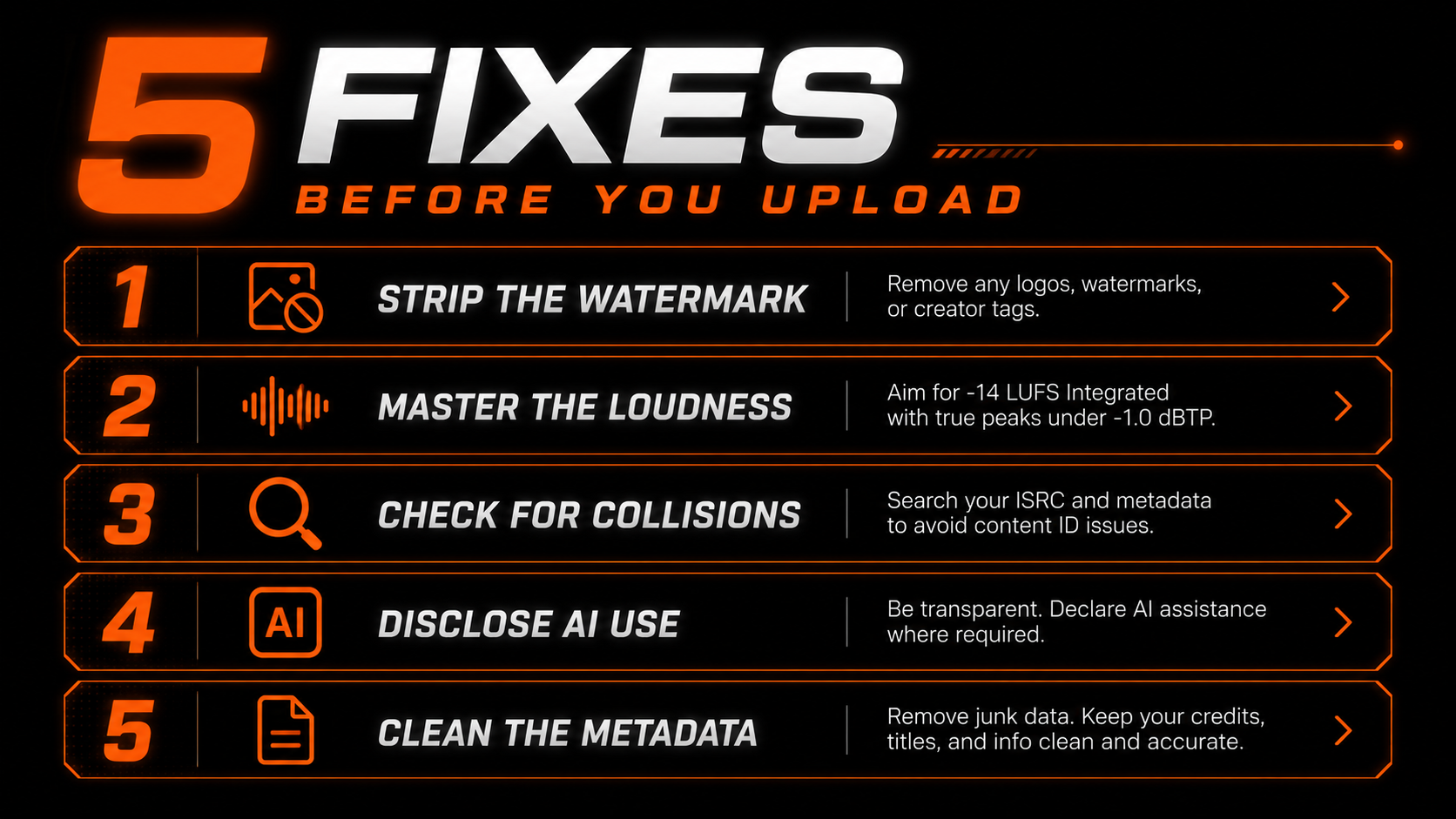
Neutralise the SynthID-style and spectral markers with a purpose-built audio remover — the one step DIY tricks cannot do.
Hit the platform target (around -14 LUFS) so the track never reads as off-spec or low-effort.
Check your output against existing releases yourself before you ship — no cleanup tool performs this check.
Answer your distributor's AI disclosure step truthfully — this is a Terms issue cleaning cannot solve.
Remove leftover generator tags and content credentials so nothing obvious flags the file.
Detector vs remover — get this right
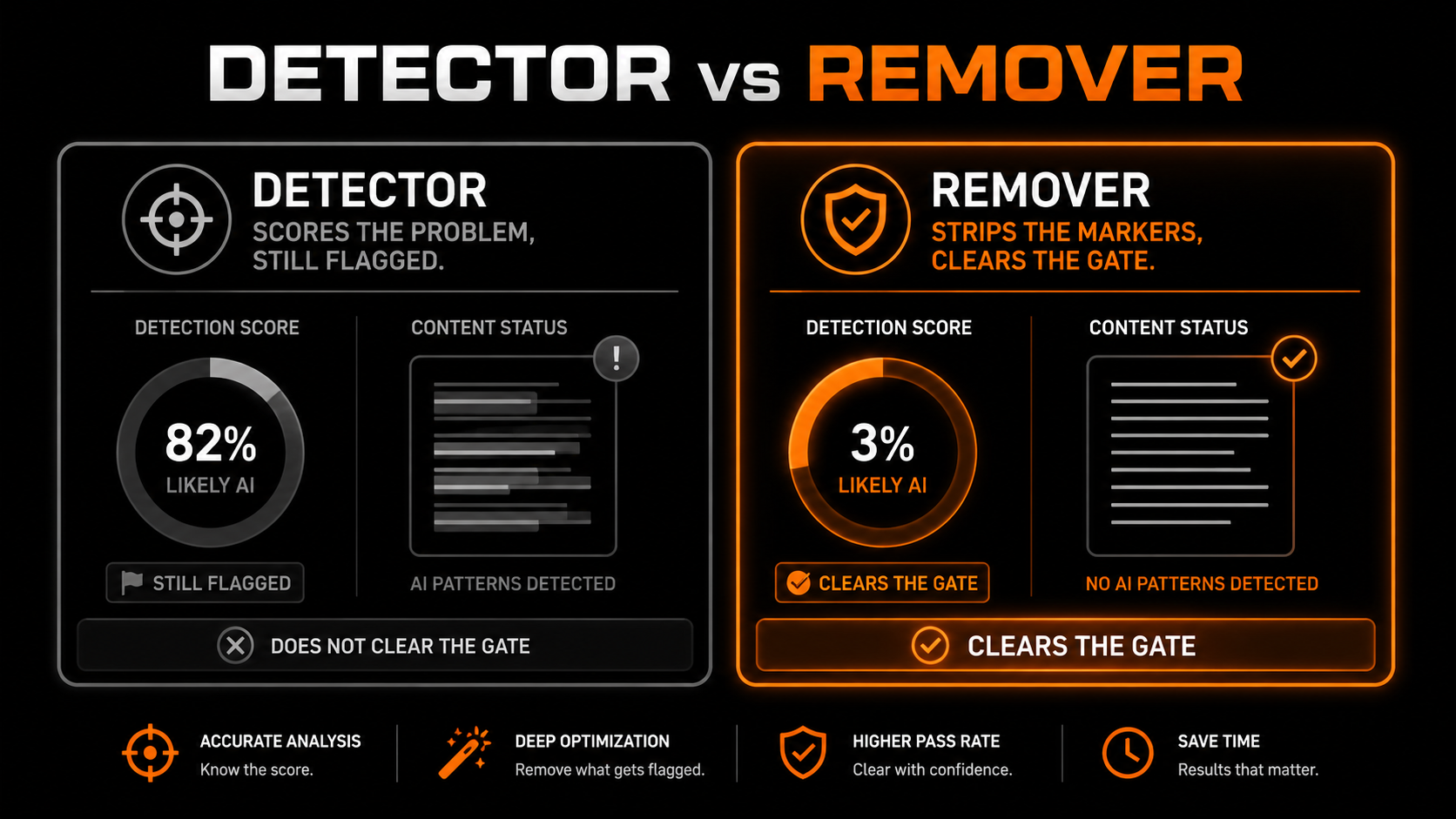
When you search for a fix, most results are detectors. They scan your track, hand you a score, and confirm it is flagged — which changes nothing. What you need goes the other direction: removal.
- ✕Returns a confidence score
- ✕Confirms the track is flagged
- ✕Leaves every marker intact
- ✕Track still gets rejected
- ✓Strips watermarks and fingerprints
- ✓Re-masters to platform spec
- ✓Sounds identical to the original
- ✓Clears the gate on upload
The clean-upload workflow
The whole thing takes a couple of minutes per track. The remover we recommend, Undetectr, handles the watermark and the mastering in one browser pass, in about 90 seconds.
From Suno, Udio, Stable Audio or Riffusion — WAV, MP3, FLAC or M4A.
Strip the markers and master to spec in the browser in about 90 seconds.
Search for your melody and title yourself. No cleanup tool does this for you.
Send the clean file to your distributor and answer the AI disclosure honestly.
Do it responsibly
One honest caveat. This is release prep for music you actually made, so your own tracks can get distributed and earn. It is not a tool for spamming platforms, gaming royalties, or impersonating real artists. Clean your file to pass the scanner, and still disclose AI use where you are asked — the two are not in conflict.
Our recommended tool
Clear the gate on the first upload
Strip the watermark and master to spec in one pass. Try Undetectr free — no credit card, 150+ platforms.
Keep reading