AI Music
Best AI Music Artifact Removal Software in 2026, Scored and Ranked
I have watched a lot of producers spend an entire evening inside a spectrogram trying to scrub an AI track clean, then upload it and get flagged anyway. The frustrating part is that the work was competent. The tool was simply pointed at the wrong thing.
AI markers are designed to be inaudible and to survive normal processing. That single fact decides this entire ranking, and it is why four of the five options below lose to one that costs a fraction of what they do.
Key takeaways
The markers are inaudible by design. SynthID-style watermarks, C2PA provenance data and spectral fingerprints are engineered to stay below hearing and to survive re-encoding.
A DAW cannot target what it cannot show you. iZotope RX 11, Ableton, Logic and FL Studio are excellent at audible repair. That is a different job.
Purpose-built wins on every axis that matters — coverage, automation, delivery readiness, speed and cost.
Folk remedies actively hurt. Re-encoding, noise injection, pitch-shifting and trimming degrade the master and leave the marker intact.
Why your DAW cannot fix this
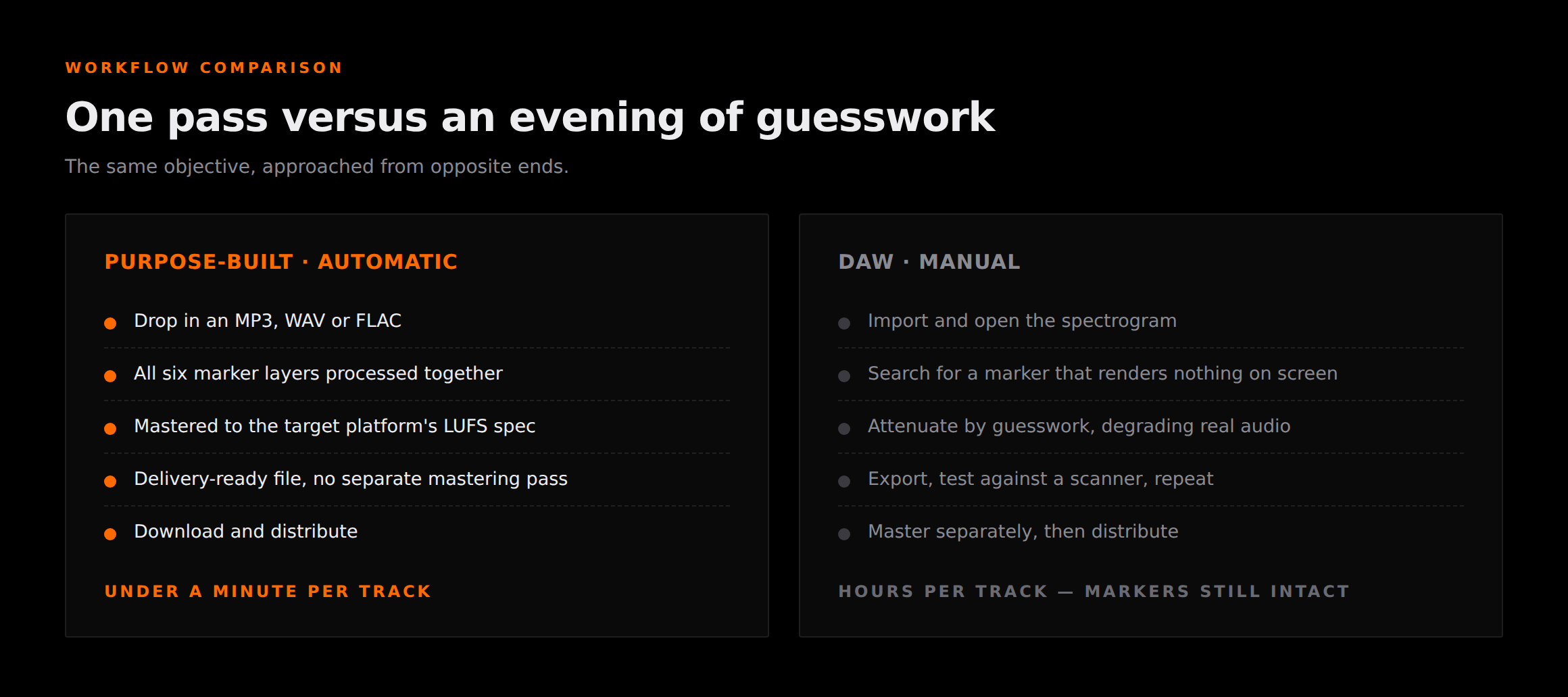
Every manual tool in this list shares one assumption: that a problem you want to remove is a problem you can find. You open the spectrogram, you see the offending resonance or the click or the hiss, you select it, you attenuate it. Decades of audio engineering are built on that loop.
AI markers break the loop at step one. A modern audio watermark is embedded across the signal at a level deliberately kept under the threshold of perception, and it is designed to remain machine-readable after MP3 encoding, resampling, EQ and loudness processing. Robustness against exactly the operations a DAW performs is the specification the watermark was written to.
So when you stare at that spectrogram, there is nothing to see. Not because your eyes are bad or the display resolution is too low, but because a marker that showed up visibly would be a marker that failed its own design brief. You are being asked to shoot at a target that is engineered to be invisible.
I want to be precise about the conclusion here, because it is easy to read this as a hit piece on four good products. It is not. iZotope RX 11 is the best audio repair suite ever built. Ableton, Logic and FL Studio are superb DAWs that I would defend against most criticism. They are the wrong tool for this specific job, which is a completely different statement from being bad tools.
The six layers in an AI export
When you export from a generator you are not getting a plain audio file. You are getting a mix plus a stack of identifying layers, and a scanner can trip on any one of them independently.
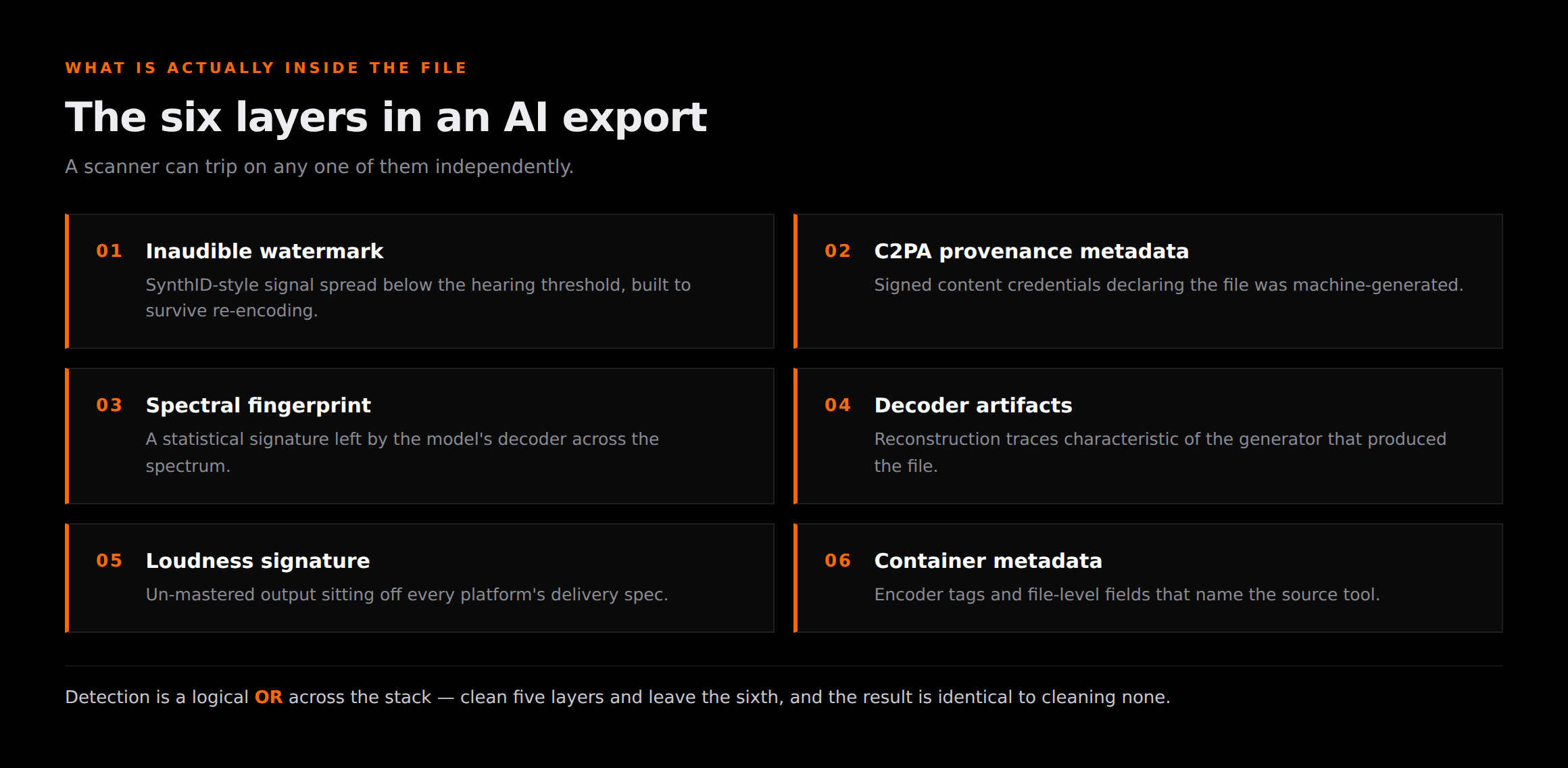
That is the crux of the coverage problem. Clean five layers and leave the sixth and you still get flagged, because detection is a logical OR across the stack rather than an average. Partial cleanup scores the same as no cleanup at the gate.
This is also why a tool that handles all six in a single pass — which is what Undetectr is built to do — is worth disproportionately more than one that handles four well. Read our breakdown of SynthID for how one of those layers works in detail.
The scorecard
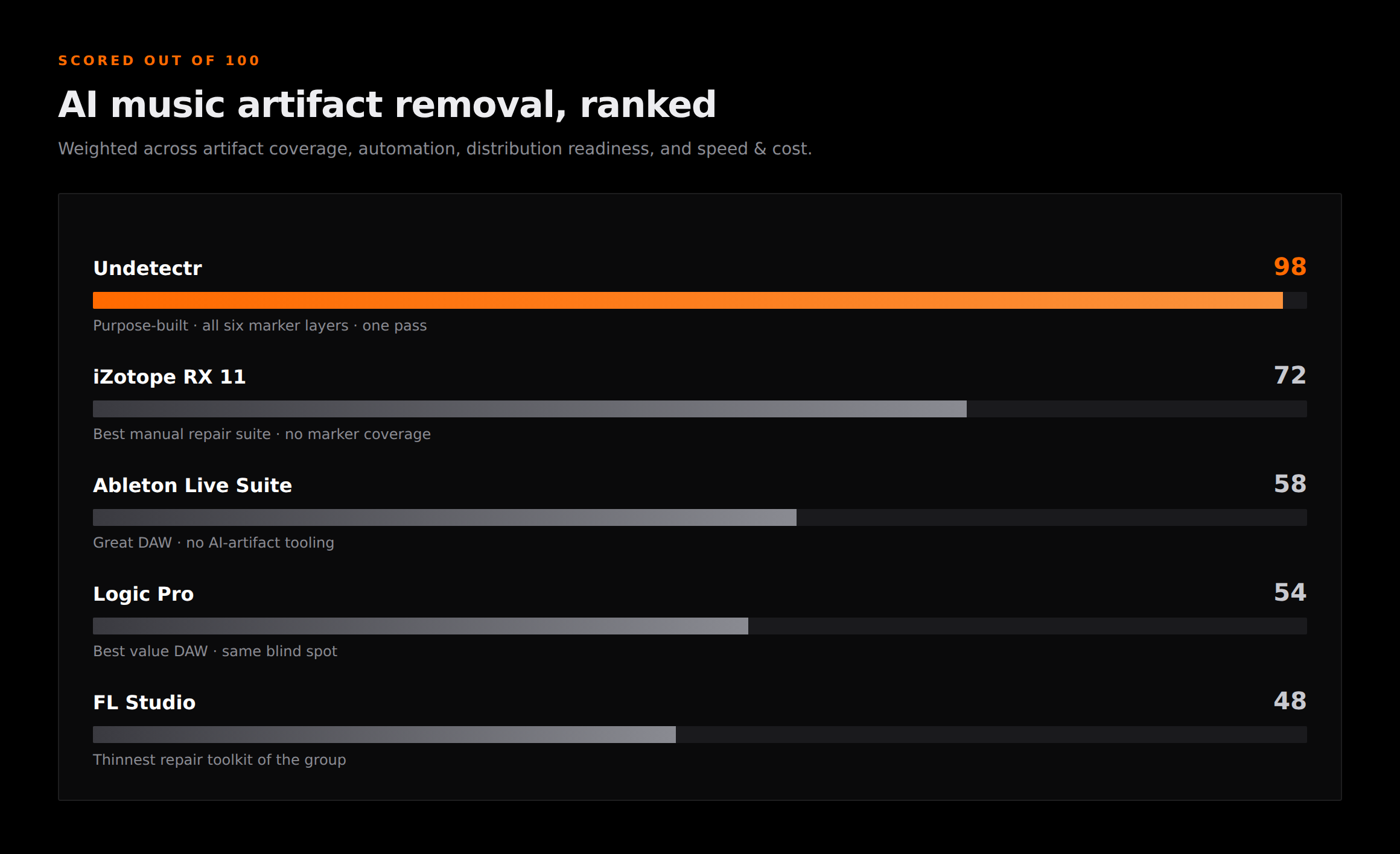
Scores are out of 100, weighted across artifact coverage, automation, distribution readiness, and speed and cost. The methodology is below the rankings.
Artifact removal score / 100
1. Undetectr — 98
Undetectr
Purpose-built · browser · one passThe only tool here built for the marker layers rather than adapted from audible repair, and the only one that clears all six in a single pass.
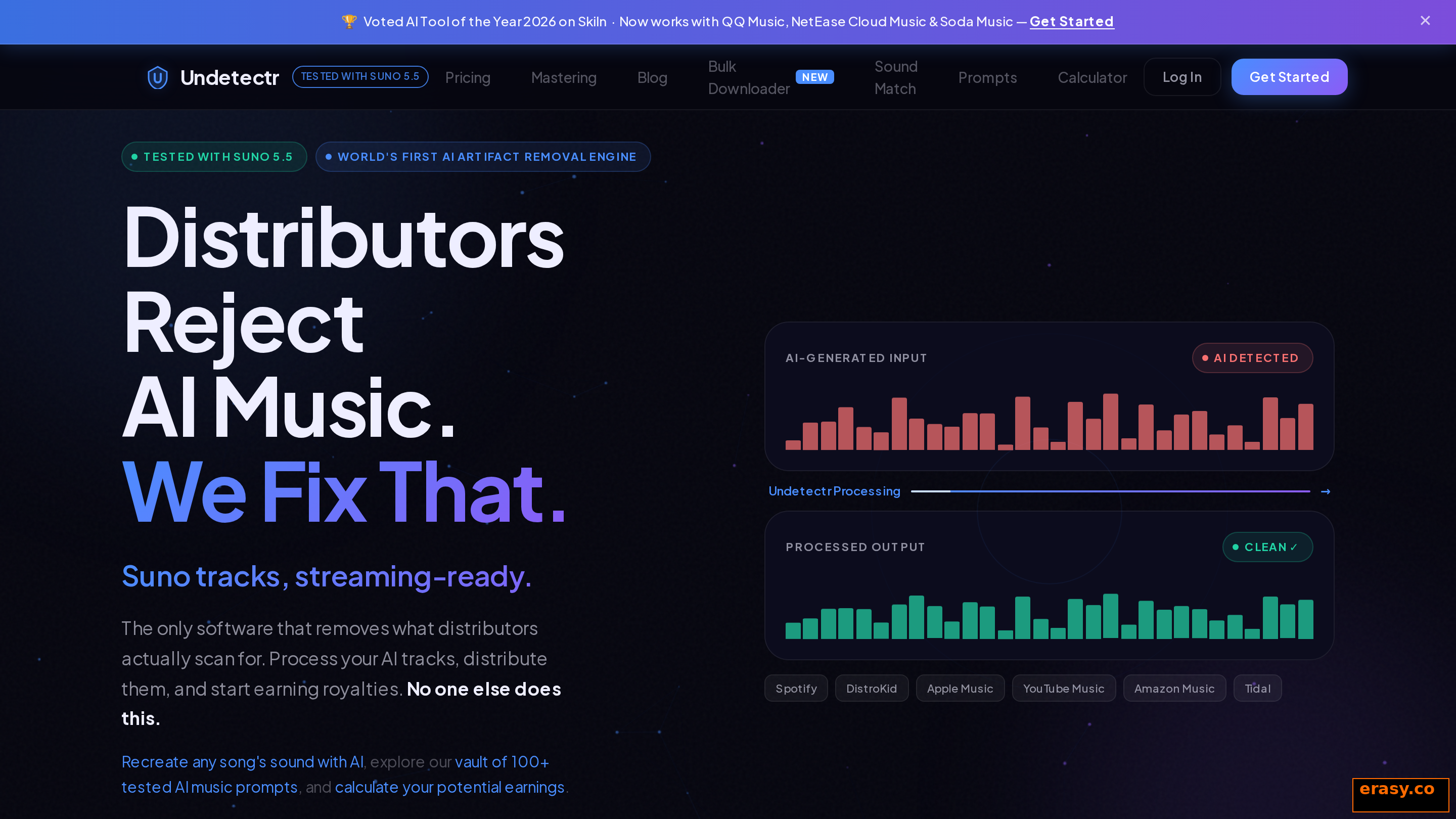
Undetectr does one thing and does not pretend to be a studio. You drop in an MP3, WAV or FLAC, it processes all six identifying layers together, and you download a file that is ready to send to a distributor. It runs in the browser with nothing to install, and it finishes in under a minute per track.
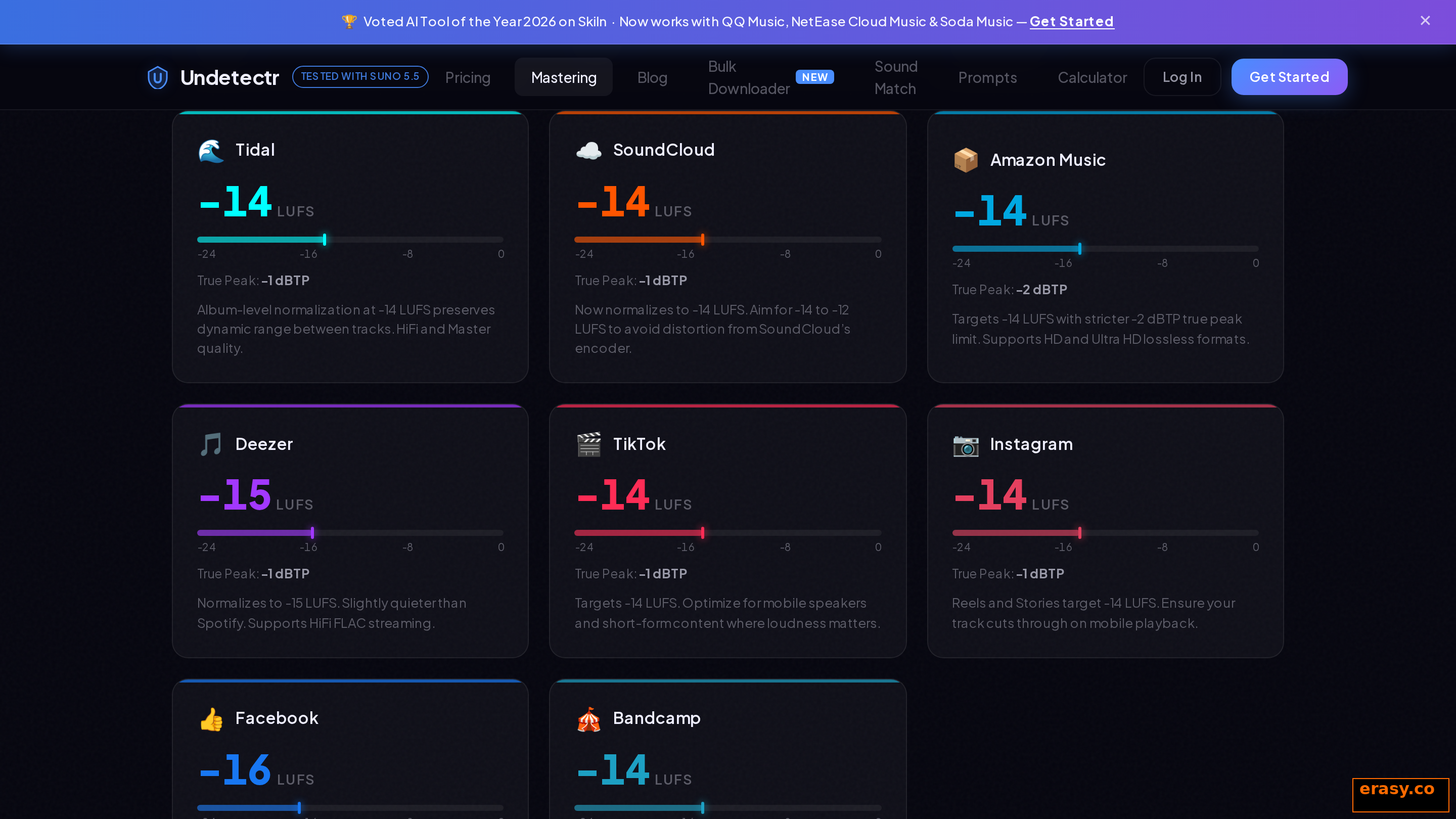
Two features push the score from good to decisive. The first is that it masters to each platform's loudness specification during the same pass, targeting roughly -14 LUFS for Spotify and -16 LUFS for Apple Music, so you are not queueing a separate mastering job afterwards. The output is at delivery spec across 150+ platforms.
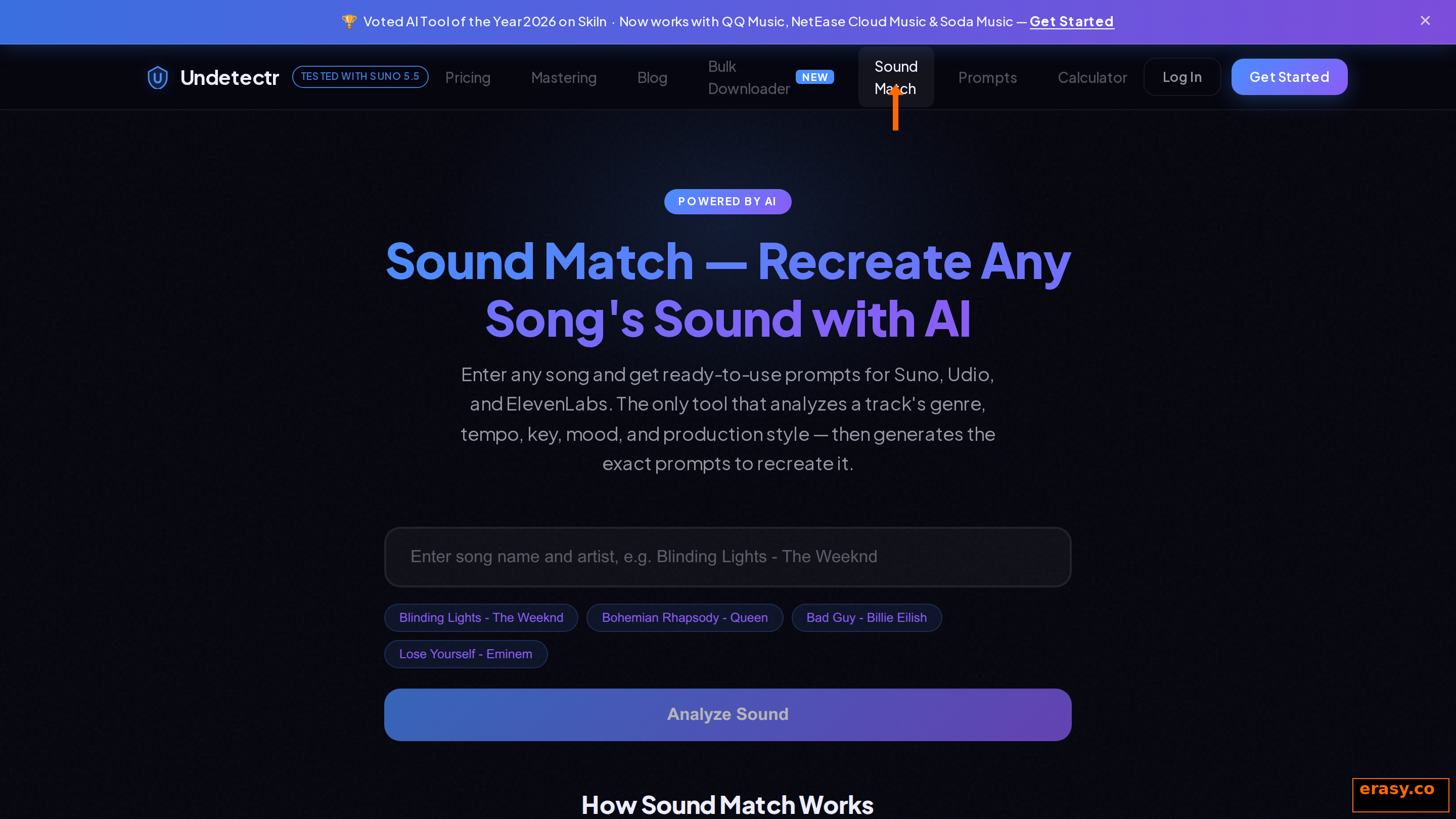
The second is Sound Match, which is a reference tool rather than part of the cleanup. Feed it a song and it analyses the genre, tempo, key, mood and production style, then hands back prompts for Suno, Udio and ElevenLabs aimed at that sonic target. It shortens the loop between "I want something like this" and a take worth cleaning, which matters because the generation stage is where most wasted effort actually happens.
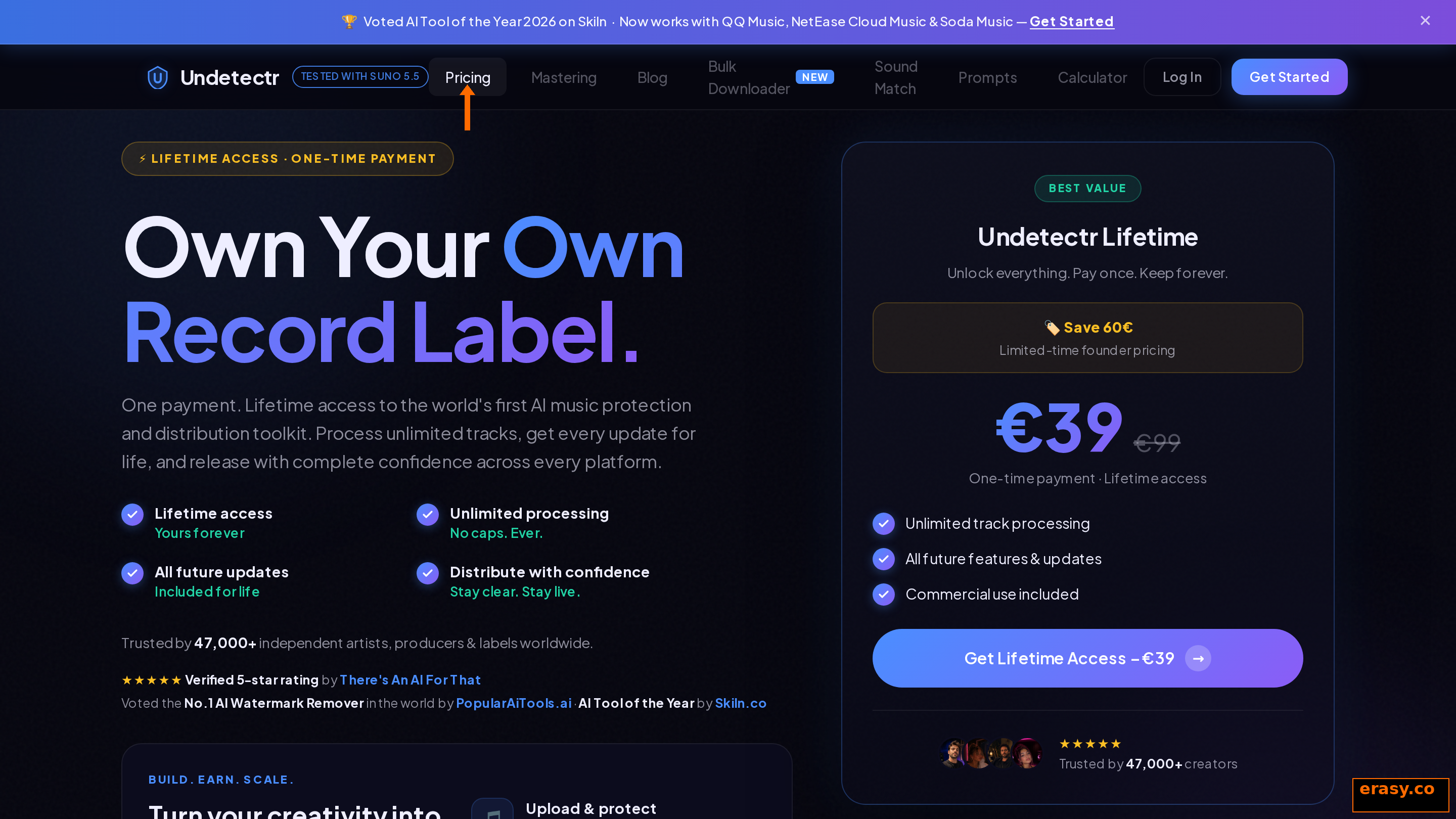
Pricing is the part I expected to dislike and did not. It is a one-off EUR 39 for unlimited tracks with no subscription, which for a working catalogue is the difference between a rounding error and a running cost. It handles Suno, Udio and ElevenLabs Music exports.
The honest limitation: it is narrow. It will not compose, arrange, mix or repair a genuinely damaged recording. If your track has a real audible fault, that is an entirely separate job and you want a repair suite for it.
Top pick
Six marker layers, one pass, under a minute
Browser-based, no install, all six marker layers in one pass, and mastered to each platform's LUFS spec on the way out. EUR 39 one-off, unlimited tracks.
2. iZotope RX 11 — 72
iZotope RX 11
Repair suite · manual · ~USD 399The strongest manual option and the industry reference for audio repair. Still solving a different problem.
RX 11 earns its 72 on raw capability. Spectral Repair, Music Rebalance and the de-noise modules are genuinely without peer, and if your AI track has audible decoder crunch or a resonant artifact you can actually hear, this is what I would reach for.
Where it drops points is coverage and automation. It has no concept of a provenance tag or a watermark layer, because it was never built to have one. Everything is manual, per track, and dependent on your skill with a spectrogram — and the marker layers do not appear in that spectrogram at all.
At around USD 399 it is also ten times the price of the tool that beats it here. If you already own it for repair work, keep using it for repair work. Buying it to clear AI detection is buying a microscope to hammer a nail.
3. Ableton Live Suite — 58
Ableton Live Suite
DAW · manual · ~USD 749A superb production environment with no AI-artifact tooling of any kind.
I use Live and I like it. For arrangement, sound design and performance it is close to ideal, and the Suite bundle gives you a deep instrument and effect library that nothing else quite matches for the money.
None of that touches this problem. There is no marker detection, no provenance handling and no automated cleanup — you are hand-processing with EQ, spectral tools and whatever third-party plugins you own, aimed at something none of them can see. The 58 reflects a capable environment pointed at the wrong target.
At roughly USD 749 it is also the most expensive entry in the ranking. It is worth that as a DAW. It is worth nothing as an artifact remover.
4. Logic Pro — 54
Logic Pro
DAW · manual · ~USD 199 one-offThe best value in the manual group, with the same fundamental blind spot.
Logic is remarkable value — a one-off purchase, no subscription, and a stock plugin set that would cost more than the licence if you bought it piecemeal. For Mac producers it is an easy recommendation as a DAW.
For this job it lands at 54 because the workflow is the same manual spectral guesswork as Ableton, with a slightly thinner repair toolkit. You get Match EQ and a decent spectral display, and neither of them can resolve a layer designed to sit under perception. It is also Mac-only, which rules it out for a chunk of readers before the analysis even starts.
5. FL Studio — 48
FL Studio
DAW · manual · ~USD 199–499A capable DAW with the thinnest repair toolkit of the group, which puts it last for this specific task.
FL Studio has a devoted following for good reason — the pattern workflow is fast, the lifetime free-updates policy is genuinely generous, and for electronic production it is a serious instrument.
It scores lowest here because its restoration tooling is the least developed of the four manual options. Edison handles basic editing and cleanup, but there is no equivalent to RX's spectral repair depth, and like every DAW in this list there is no marker awareness whatsoever. More manual effort, less to show for it.
The folk remedies that do not work
Every forum thread on this topic surfaces the same four suggestions. All four share a structure: they degrade your audio measurably while leaving the marker readable. That is the worst possible trade.
Re-encoding to a lower bitrate
The theory is that lossy compression discards the watermark along with the inaudible detail. The problem is that surviving lossy compression is the headline requirement in every audio watermarking specification. You lose real high-frequency content and the detector still reads the file.
Adding noise or dither
Layering noise to mask the marker assumes the marker sits at a fixed amplitude you can bury. Watermarks are distributed across the signal and recovered statistically, so noise at a level low enough to keep your track listenable does not move the detection needle. Push the noise high enough to matter and you have ruined the master.
Pitch-shifting a few cents
Small pitch and tempo shifts are standard in the evasion folklore and are specifically anticipated by watermark design. You introduce artefacts into the vocal and the transients, and the marker survives the transform.
Trimming the intro or outro
This one assumes the marker lives in one place. It does not — it repeats across the duration precisely so that a clip of the track still identifies as the track. Cutting the first eight bars removes eight bars of your music and nothing else.
The pattern is consistent enough to be a rule: anything you can do to an AI export from inside a normal audio tool either does nothing to the markers or damages the music. Removing them is a separate job with separate tooling, and treating it as one is what stops the cycle of upload, rejection, re-edit, upload.
How we scored these
Four weighted criteria, chosen because they map to what actually determines whether a release survives.
| Criterion | Weight | What it measures |
|---|---|---|
| Artifact coverage | 40% | How many of the six marker layers the tool actually addresses |
| Automation | 25% | Whether cleanup is one pass or hours of manual spectral work |
| Distribution readiness | 20% | Platform loudness targets, format support, delivery-ready output |
| Speed & cost | 15% | Time per track and total cost of ownership |
Coverage carries the most weight because detection is pass-or-fail across the whole stack — a tool that misses one layer produces the same outcome as a tool that misses all six. Automation is second because manual spectral work does not scale past a couple of tracks and, on this problem, is aimed at something invisible regardless of how carefully you do it.
Full comparison
| Tool | Score | Type | Cleanup | Marker coverage | Cost |
|---|---|---|---|---|---|
| Undetectr | 98 | Purpose-built | Automatic, one pass, <1 min | All six layers | EUR 39 one-off |
| iZotope RX 11 | 72 | Repair suite | Manual, per track | Audible artifacts only | ~USD 399 |
| Ableton Live Suite | 58 | DAW | Manual, per track | None | ~USD 749 |
| Logic Pro | 54 | DAW | Manual, per track | None | ~USD 199 |
| FL Studio | 48 | DAW | Manual, per track | None | ~USD 199–499 |
Read the cost column against the coverage column. The two most expensive entries cover none of the marker layers, and the cheapest covers all six. Price is tracking DAW capability, which is real, and has nothing to do with this task.
Verdict
If you are releasing AI-assisted music and you want it to survive ingestion, use Undetectr and keep your DAW for making records. That is genuinely the whole recommendation. The scores are lopsided because the category is lopsided: one tool was built for this and four were built for something else.
Keep RX 11 if you own it, because audible repair is a real and separate need and nothing beats it there. Keep whichever DAW you already write in. Just stop asking any of them to remove something they were never designed to see, and stop reaching for the folk remedies, which cost you audio quality and buy you nothing.
Once the file is clean, the rest of the release is ordinary work — our guide to distributing AI music without getting flagged covers the steps after cleanup, and selling Suno tracks on Spotify and DistroKid covers the commercial side.
Get it clean first
Stop fighting an invisible target in a spectrogram
All six marker layers in one pass, mastered to platform spec, under a minute per track. Works with Suno, Udio and ElevenLabs Music.