AI Music
Suno Watermark Remover: How to Actually Remove It in 2026

You made a track in Suno, it sounds great, and then a distributor either rejects it or quietly pulls it a week after it goes live. The culprit is an inaudible watermark baked into the file — and if you have tried re-encoding it to MP3 or dragging it through Audacity, you already know that does nothing.
Here is what the Suno watermark actually is, why every DIY trick on Reddit fails, and the one approach that genuinely removes it.
The short version
The Suno watermark is a statistical fingerprint woven into the waveform itself, not a tag you can strip. It survives MP3 conversion, added noise, and pitch shifts by design.
The only thing that removes it cleanly is a tool built for the job — one that targets the detection layer and re-masters the track. We recommend Undetectr, the first and only AI watermark remover built specifically for music.
What the Suno watermark actually is
There is a common misconception that AI music watermarks are like an audible tag or a bit of metadata you can delete in a file editor. They are not. Modern AI audio watermarks are embedded directly into the sound wave using psychoacoustic masking — the watermark hides in frequency ranges and loud moments where the human ear is least sensitive. You cannot hear it, but a scanner can measure it mathematically.
Google’s SynthID is the clearest public example of how this works for audio, and it is the industry template: the watermark is converted into the spectrogram and woven into the signal so it is inaudible yet detectable. Suno’s exports carry their own fingerprint in the same family, alongside easier-to-spot signals like metadata markers and the machine-perfect timing that generators produce. Distributors scan for all of it.
Why every DIY trick fails
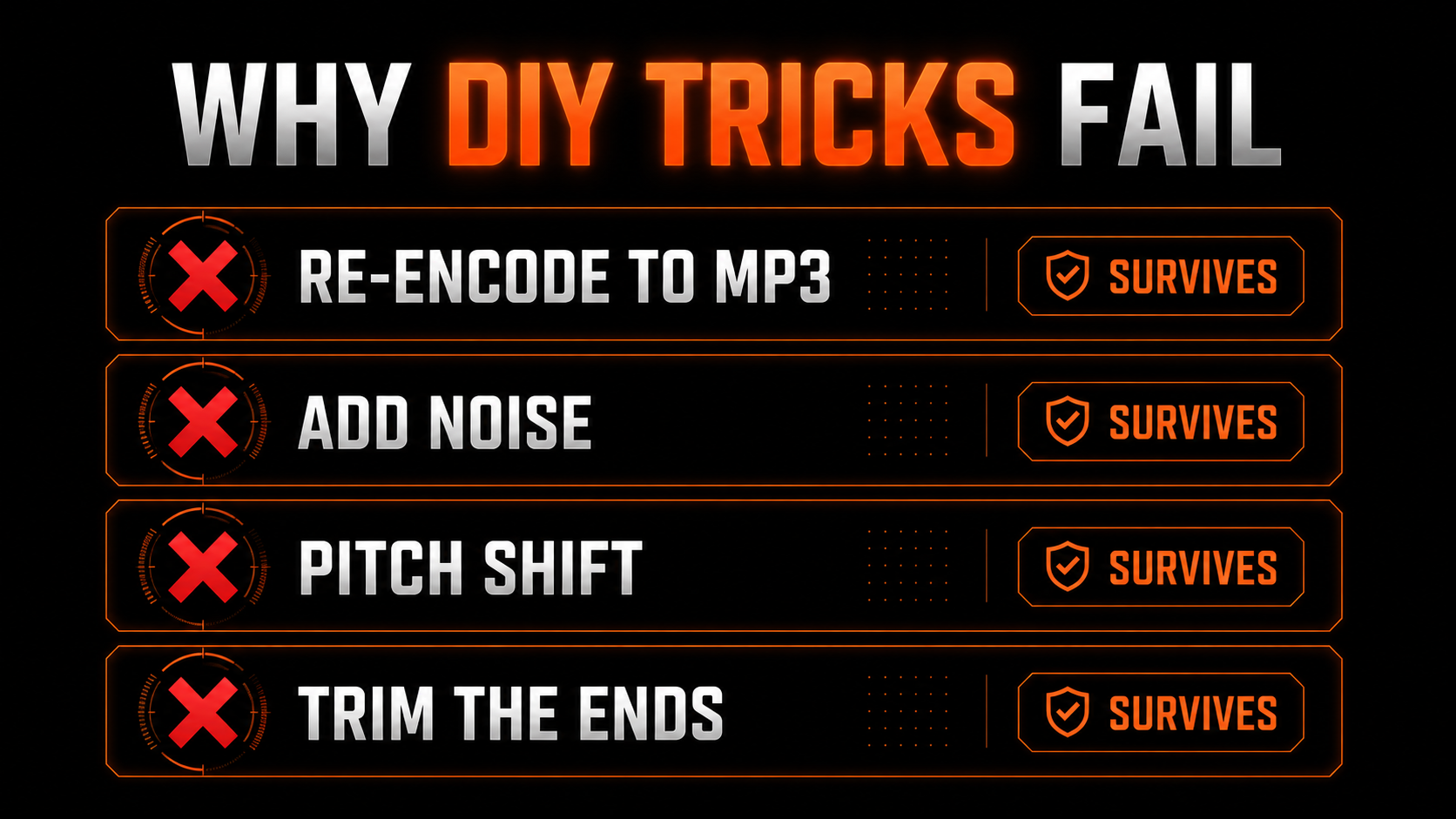
This is the part that saves you a weekend. AI watermarks are engineered to survive exactly the edits people reach for first. Google states plainly that its SynthID audio watermark “can’t be altered by common modifications like adding noise, MP3 compression, or changing the speed of the track.” The same holds for the fingerprints distributors flag.
- ✕Re-encode to MP3 → mark survives, quality drops
- ✕Add background noise → mark survives, mix gets muddy
- ✕Pitch or speed shift → mark survives, track sounds off
- ✕Re-record through speakers → mark survives, fidelity ruined
- ✕Strip metadata in a tag editor → only removes the easy tags
- ✓Targets the statistical fingerprint the classifier reads
- ✓Neutralises SynthID-style and spectral markers
- ✓Re-masters to streaming loudness spec
- ✓Leaves the audible music untouched
- ✓Passes distributor scanners on upload
Every generic method attacks the audible layer. The watermark lives below it, in the statistics — so you are damaging your song without ever reaching the thing you are trying to remove.
What actually removes it
The fix is a purpose-built AI audio watermark remover: software that understands what detection models measure and corrects those specific signals while preserving everything you can hear. It is the opposite of a detector — a detector only scores your track and tells you it is flagged, which helps you zero. A remover eliminates the markers.
In the music space, the tool built precisely for this is Undetectr. It runs entirely in the browser, strips the detection markers across roughly six layers at once, and re-masters the file to platform loudness targets — all in about 90 seconds per track, on WAV, MP3, FLAC or M4A from Suno, Udio, Stable Audio or Riffusion.
How to remove the Suno watermark, step by step
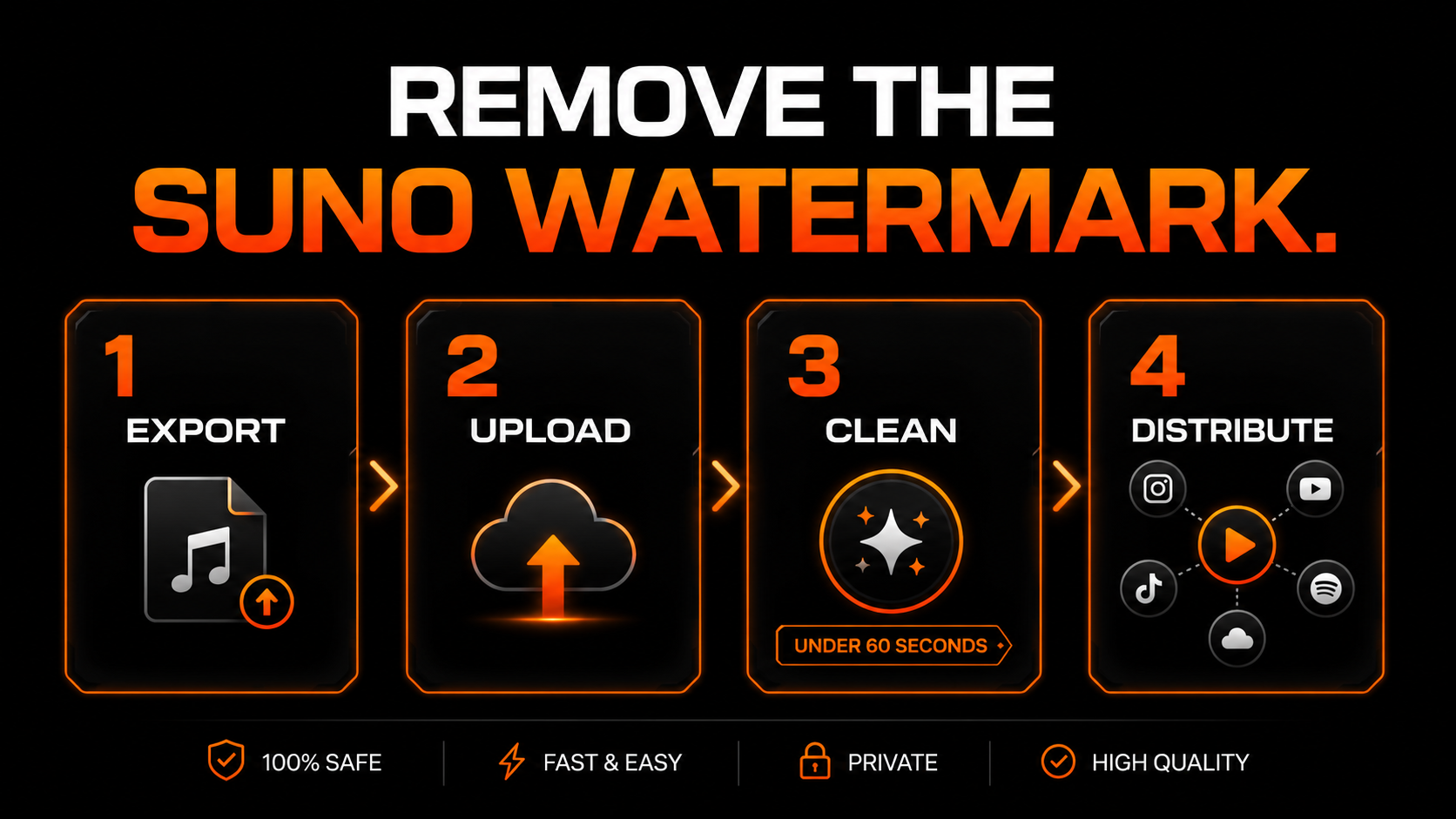
Download your finished track as you normally would — WAV or MP3 both work.
Drop the file into the browser app. No install, no plugin, no desktop software.
It strips the markers and runs the mastering pass in about 90 seconds, then hands back a clean file.
Upload the processed track to your distributor with AI use disclosed where asked.
Does it change how the track sounds?
No — and that is the whole point. Because the process targets the measured statistics rather than the audible content, the melody, harmony, arrangement and character all survive intact. The mastering pass, tuned to around -14 LUFS for streaming, usually makes the track sound a touch better than the raw export, not worse.
One honest note on the legal side: this is release prep for your own music. Purely AI-generated audio generally is not copyrightable in the US, and on a paid Suno plan you hold the commercial license to what you made, so cleaning your own track is not a clear-cut DMCA issue — but it is a gray area, not legal advice. Disclose AI use where your distributor asks, and never use this to impersonate a real artist.
Pricing
Undetectr keeps it simple with one-time payments and no royalty cut: a $19 Starter to test the workflow, or a one-time $39 Lifetime (founder pricing, moving to $99) for unlimited processing, mastering and the bonus tools with no per-track fees.
Our recommended tool
Remove the Suno watermark in about 90 seconds
Strip the fingerprint, master to spec, and clear distributor scanners on the first try. Try Undetectr free — no credit card, 150+ platforms.
Keep reading