AI Music
How to Master AI Music (2026): Loudness, LUFS & One-Pass Cleanup
Your AI track sounds great in the generator, then quiet and flat next to real releases on Spotify. That gap is mastering — and raw AI exports almost never have it.
Here is why AI music needs mastering, the loudness targets that actually matter, and how to master and clean a track in a single step.
The short version
Raw AI exports land at off-spec loudness with a thin mix. Platforms normalize to fixed targets — around -14 LUFS for Spotify, -16 LUFS for Apple Music.
Undetectr masters to those targets and strips the AI detection markers in the same pass — mastered and release-ready at once.
Why AI music needs mastering
AI generators optimise for a good-sounding render, not for streaming delivery. So exports tend to share three problems.
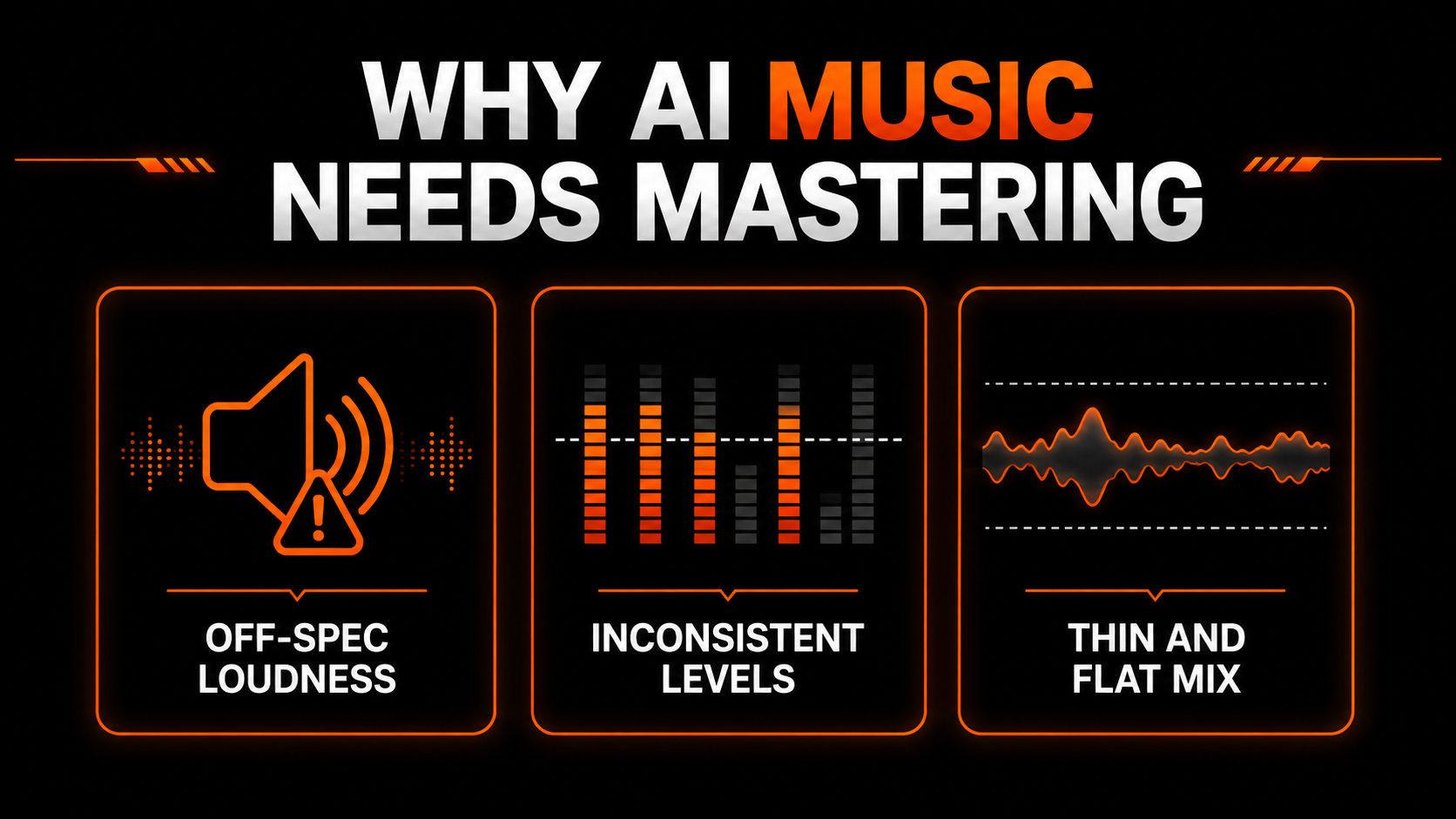
Off-spec loudness means the platform turns your track up or down to match everyone else. Inconsistent levels make it jump around across a playlist. And a thin, flat mix lacks the glue a master provides. Fix those and your AI track finally sits next to real releases instead of under them.
The loudness targets that matter
Every streaming platform normalizes playback to a fixed loudness. Master to it and you are in spec; ignore it and the platform overrides you.
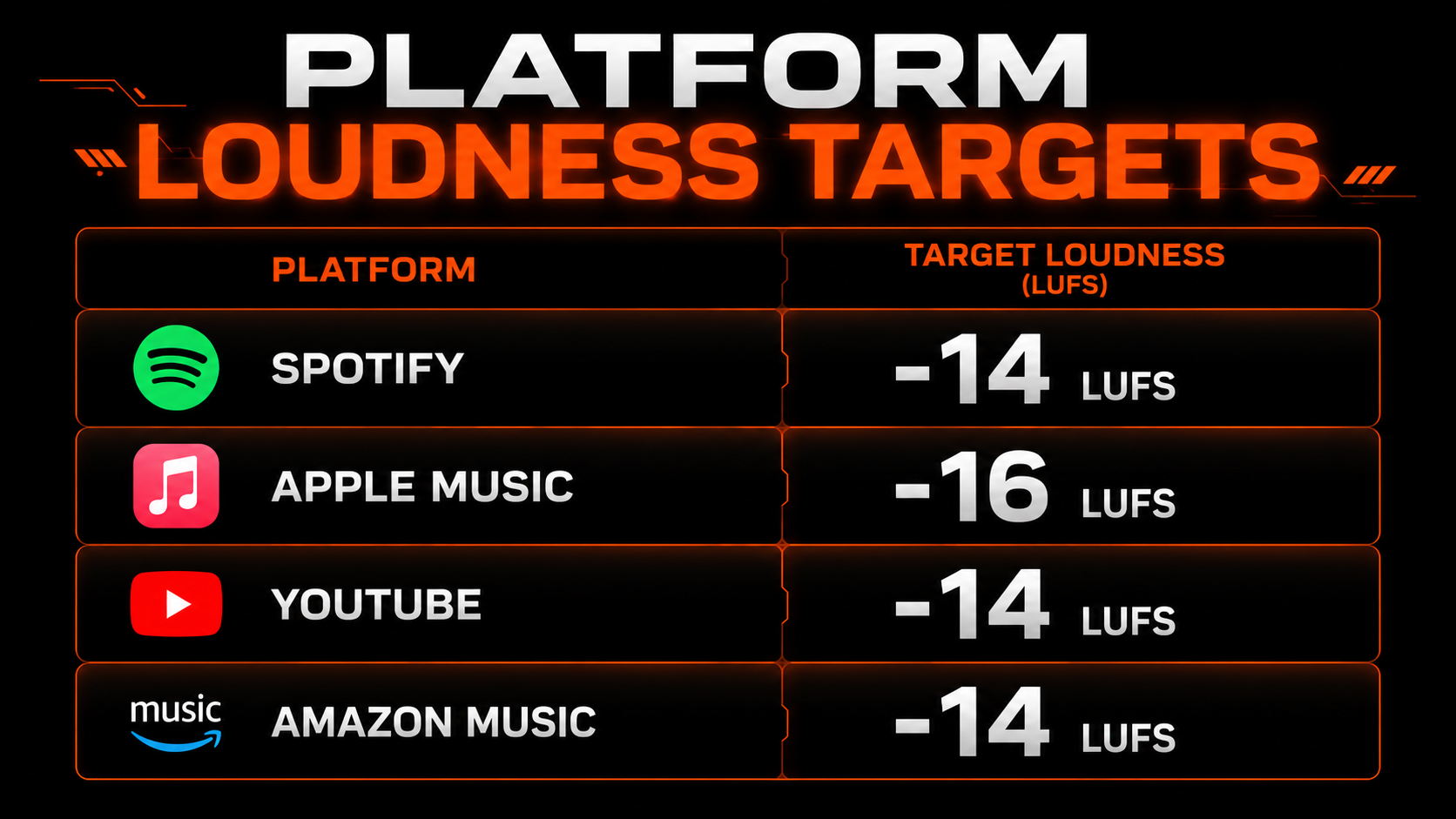
Aim for roughly -14 LUFS integrated for Spotify, YouTube and Amazon Music, and about -16 LUFS for Apple Music, with true peaks under about -1 dBTP. Hit those and the platform leaves your master alone.
Master and clean in one pass
Here is the part unique to AI music: mastering alone is not enough. An AI export also carries inaudible detection markers, and a beautifully mastered track that still trips a distributor’s scanner gets pulled anyway. You need both jobs done.
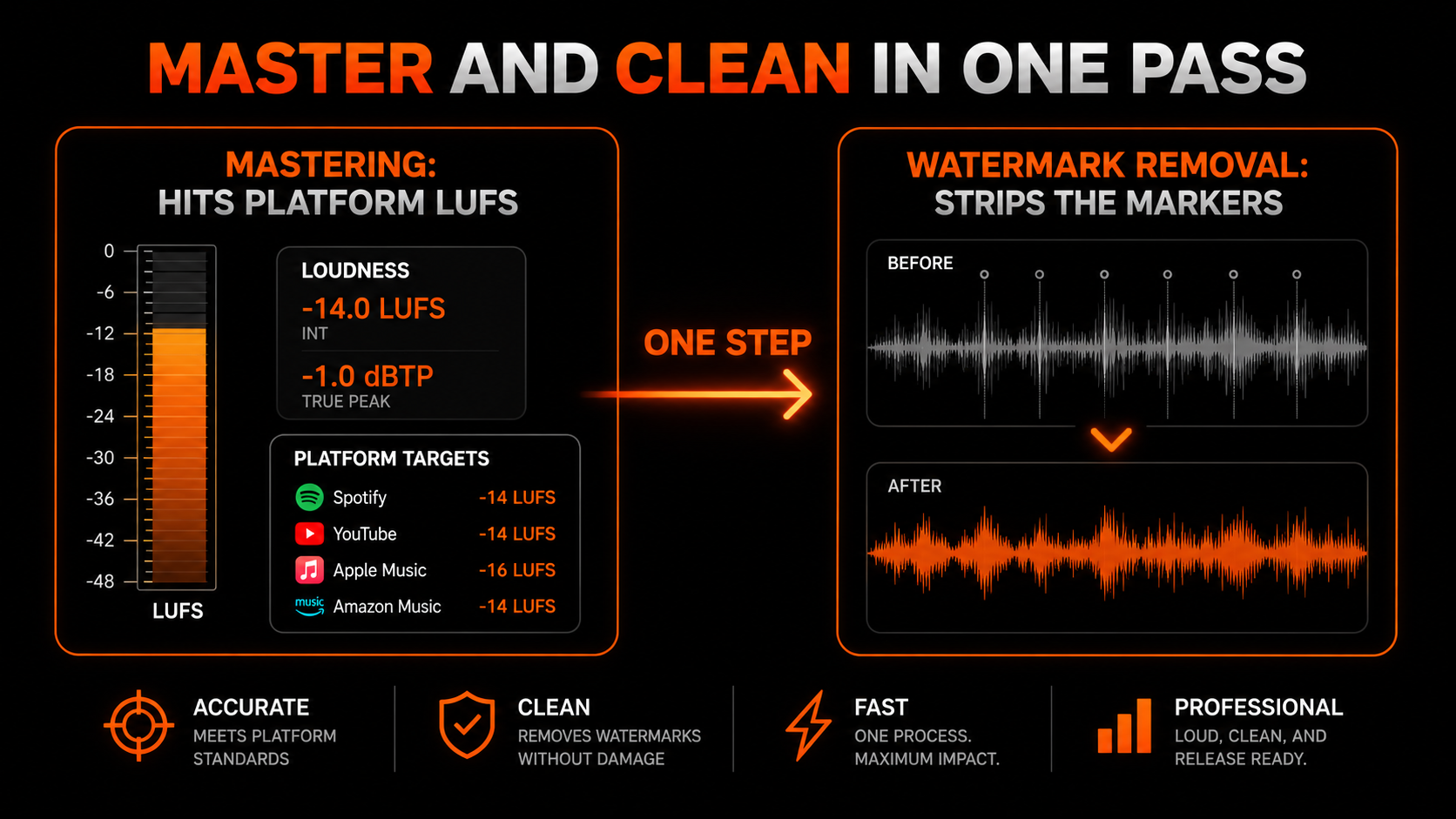
Undetectr — the only AI watermark remover built for music — does exactly that. It masters to each platform’s LUFS target and strips the detection markers in one browser pass, so the file that comes out is loud, clean and release-ready together.

How to master your AI track
Download a WAV from your generator where you can — more headroom for mastering than an MP3.
Run it through Undetectr to hit your platform's LUFS target and strip the AI markers in one pass.
Confirm true peaks sit under about -1 dBTP so nothing clips after normalization.
Upload the mastered, clean file and disclose AI use where asked.
Our recommended tool
Master to spec and clear detection in one pass
Hit -14 LUFS, strip the markers, and release loud and clean. Try Undetectr free — no credit card, 150+ platforms.
Keep reading