AI Music
Remove the Suno Watermark in 2026: 6 Tools Compared

Almost everyone who searches for how to remove the Suno watermark is working from a picture that is out of date. They imagine one inaudible mark buried in the waveform, and one tool that lifts it out.
What is on a Suno file in September 2026 is at least three separate things, only one of which is a watermark, and the one that gets a track rejected is not a watermark at all. Get that wrong and you can pay for a tool that cannot help you, or strip a marker in a way Suno’s terms now name directly. We re-checked all six tools’ live pricing pages on 21 September 2026, read Suno’s current terms and its own provenance checker, and pulled the two research papers the rest of this search result set does not cite.
Key takeaways
The marker Suno actually attaches today is C2PA metadata, not audio. It is a Content Credential in the file’s metadata, and most format conversions drop it as a side-effect. No tool required.
The audio watermark is announced, not confirmed shipped. Suno described watermarking and fingerprinting on 6 August 2026 as coming “in the coming weeks” and has published nothing since saying it landed.
What screening catches is an architectural artifact. Deezer researchers hit over 99% accuracy on Suno and Udio using plain spectral analysis of peaks that come from the model’s deconvolution layers — nothing was embedded to remove.
Suno’s terms now address removal by purpose. The 10 August 2026 update forbids stripping its markers “for the purpose of concealing or misrepresenting the provenance, service tier, or status” of a track.
Every pass rate in this category is vendor-reported. Including our top pick’s. One vendor says outright it “can’t guarantee every track will pass every detector forever” — which is the most accurate sentence on any of these sites.
What is actually on your file
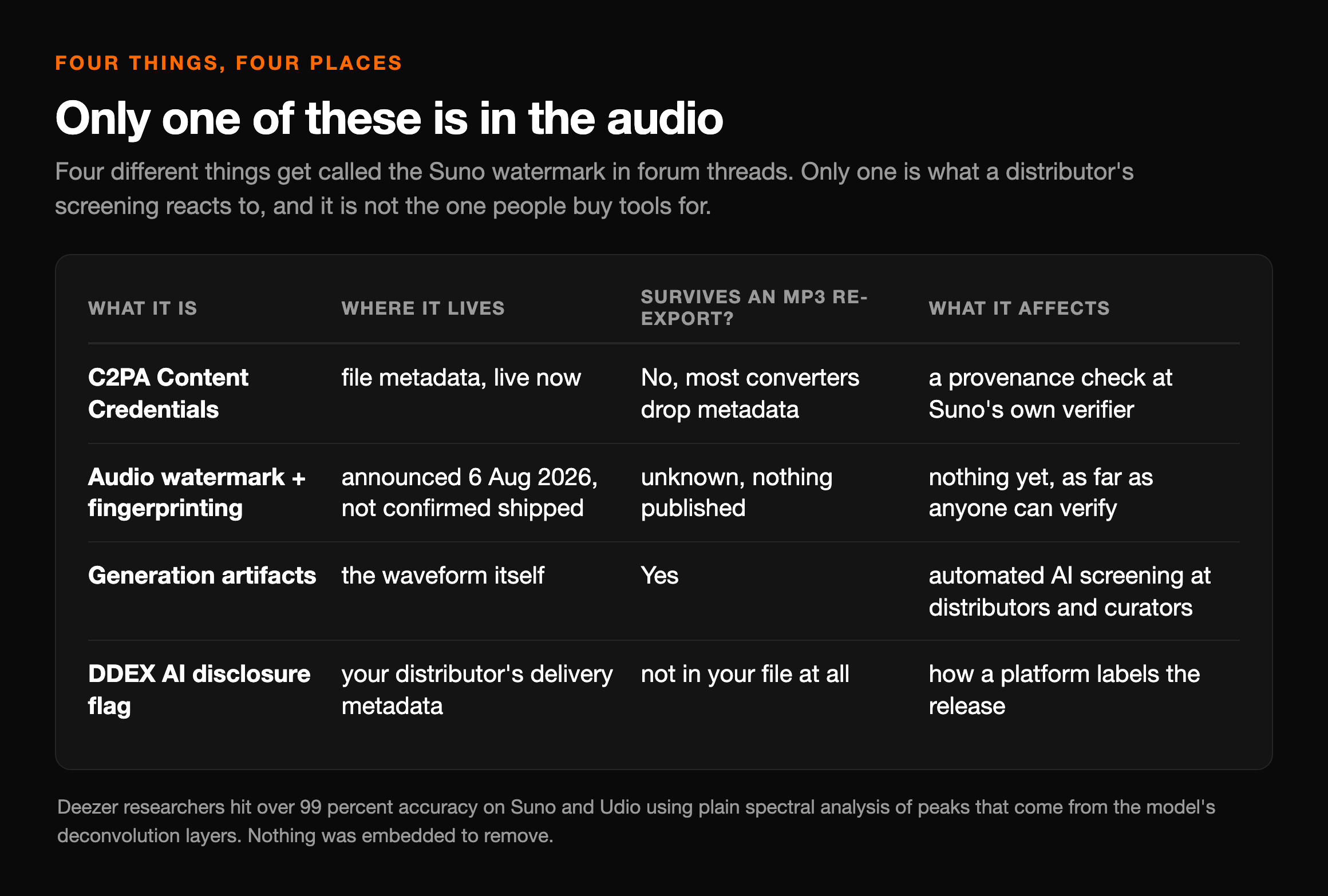
Four different things get called “the Suno watermark” in forum threads, and they live in four different places. Only one of them is in the audio, and only one of them is what a distributor’s screening reacts to. They are not the same one.
| What it is | Where it lives | Survives an MP3 re-export? | What it affects |
|---|---|---|---|
| C2PA Content Credentials | File metadata — live now | No — most converters drop metadata | A provenance check at Suno's own verifier |
| Audio watermark + fingerprinting | Announced 6 Aug 2026, not confirmed shipped | Unknown — nothing published | Nothing yet, as far as anyone can verify |
| Generation artifacts | The waveform itself | Yes | Automated AI screening at distributors and curators |
| DDEX AI disclosure flag | Your distributor's delivery metadata | Not in your file at all | The AI credit shown on Spotify |
Read that table twice, because it reorganises the whole problem. The row people are trying to pay to remove is row one, and it comes off for free. The row that actually costs them a release is row three, and it is not a watermark. Row four is not even in the file they are holding.
If you want the longer version of how those signals are produced, we went through it in what the Suno watermark is in 2026. The rest of this page is about what to do with each row.
Check your own file, free, in about two minutes
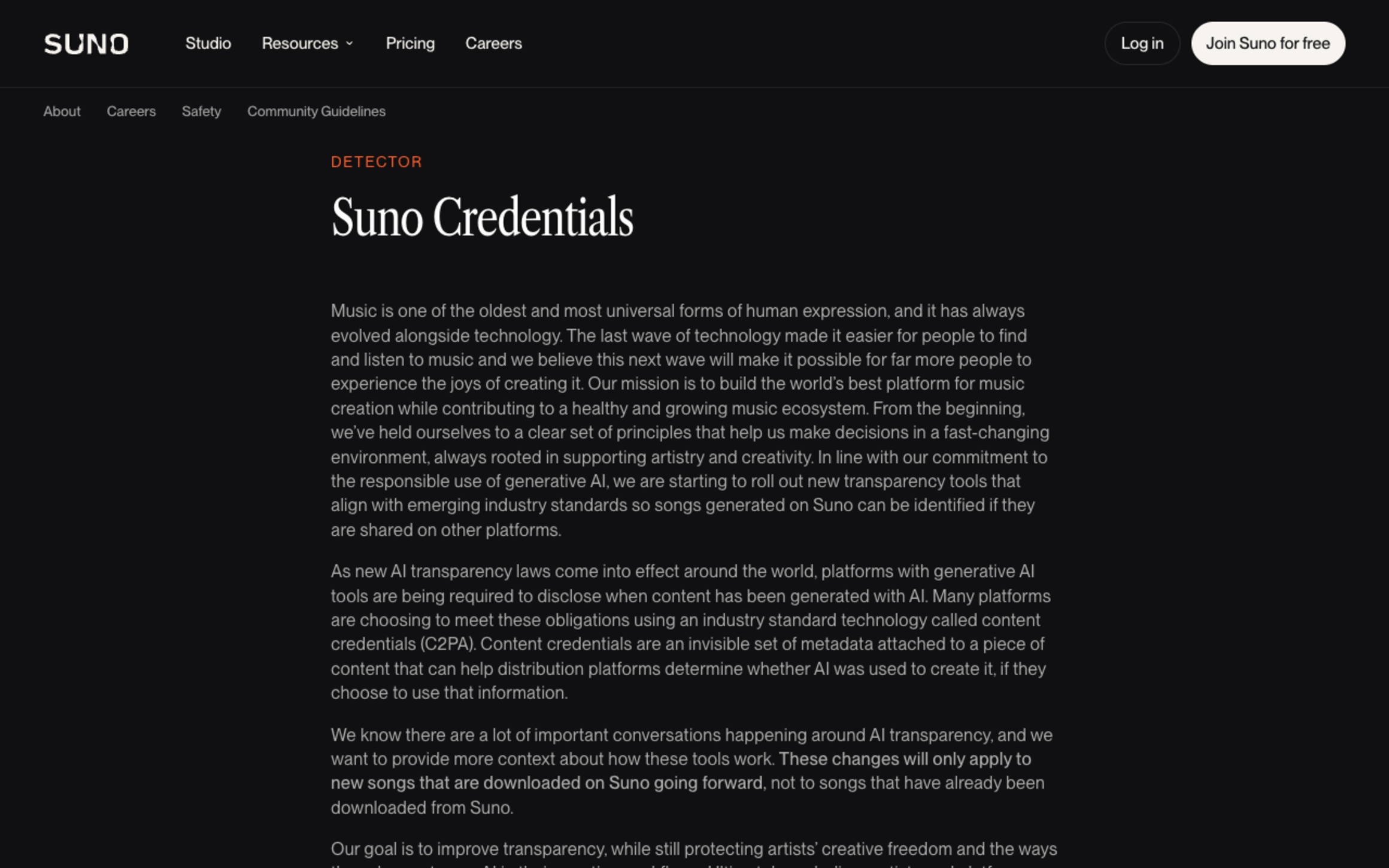
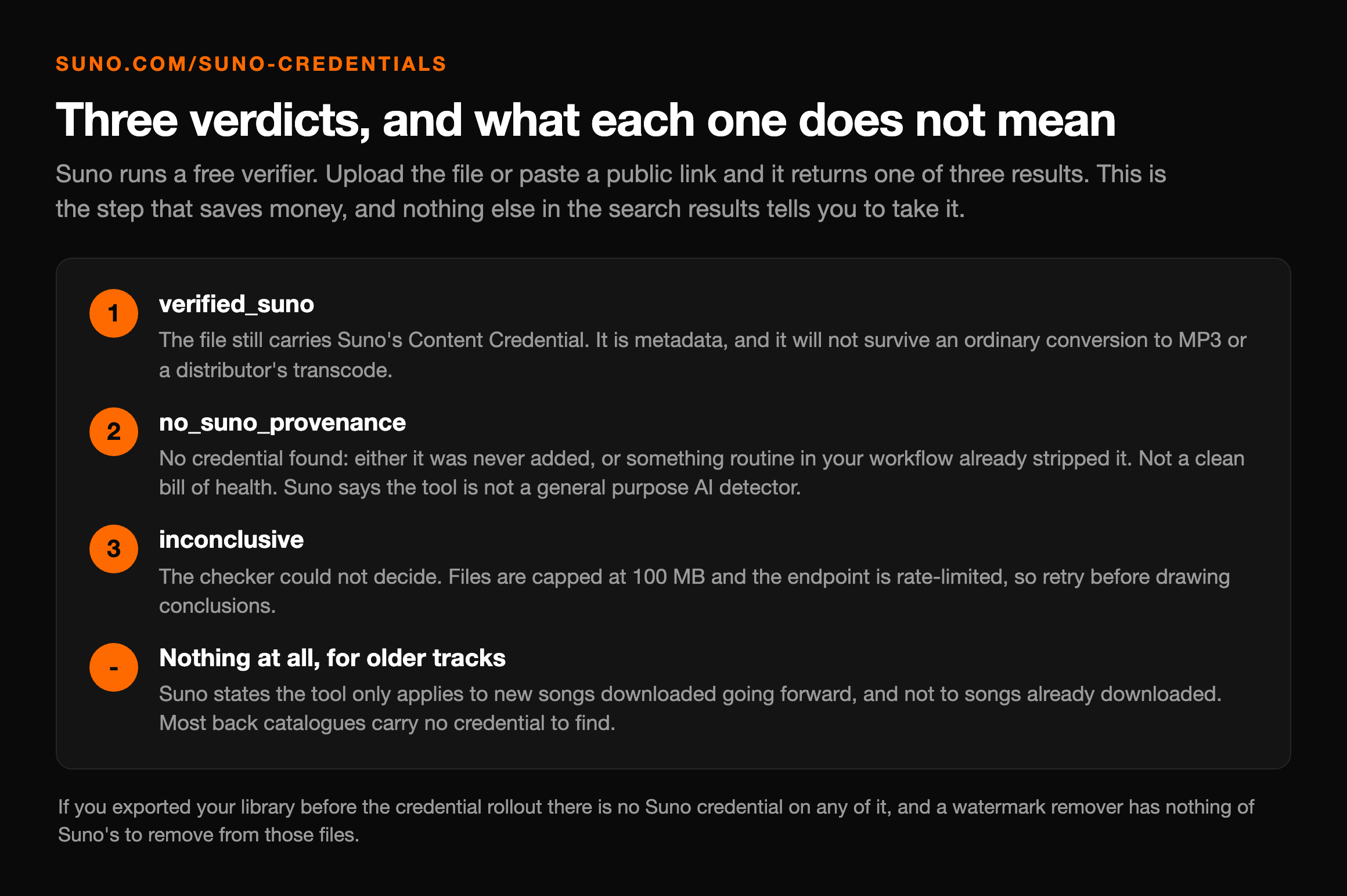
This is the step nothing else in these search results tells you to take, and it is the one that saves money. Suno runs a free verifier at suno.com/suno-credentials. Upload the file or paste a public link and it returns one of three verdicts.
The file still carries Suno's Content Credential. It is metadata, and it will not survive an ordinary conversion to MP3 or a distributor's transcode.
No credential found. Either it was never added, or it has already been stripped by something routine in your workflow. Note this is not a clean bill of health — Suno says the tool 'is not a general purpose AI detector'.
The checker could not decide. Files are capped at 100 MB and the endpoint is rate-limited, so retry before drawing conclusions.
Suno states the tool 'only applies to new songs that have been downloaded going forward, and not to songs that have already been downloaded'. Most back catalogues have no credential to find.
That last point deserves emphasis. If you exported your library before the credential rollout, there is no Suno credential on any of it, and a watermark remover has nothing of Suno’s to remove from those files. Whatever is still getting them flagged is row three.
What Suno’s terms now say about removing it
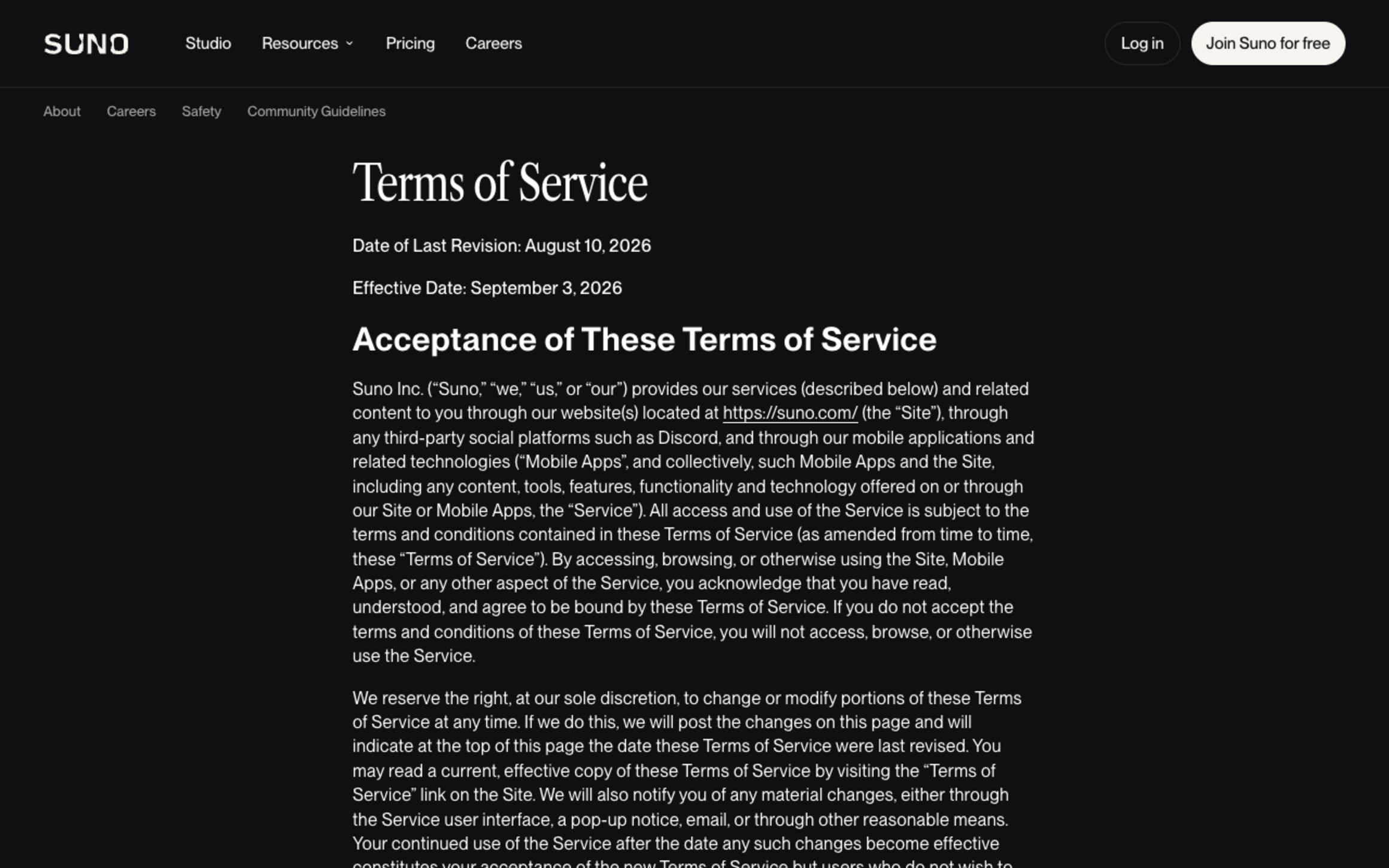
No other page ranking for this query quotes the clause, which is strange, because it is the part with consequences. Suno’s terms of service, last updated 10 August 2026 and effective 3 September 2026, contain two sentences that bear on everything above.
From Suno's terms of service
“We reserve the right to append a fingerprint, watermark, or metadata indicating the applicable service tier of an Output and whether such Output was a permitted Download.”
“You agree not to remove, alter, obscure or circumvent any fingerprint, watermark or metadata Suno appends to an Output for the purpose of concealing or misrepresenting the provenance, service tier, or status of that Output.”
Two things follow. First, the marker is partly about service tier and download status, not only about AI provenance — it is tied to Suno’s download caps, which we covered in the September 2026 download limits. Second, and more useful: the prohibition turns on purpose, not on the act. Converting a WAV to MP3 for delivery drops metadata as an unavoidable side-effect of the format. Setting out to strip a provenance marker so that nobody can establish the track came from Suno is the thing the sentence names.
We are not your lawyers and this is not legal advice. But a page that sells you a removal tool without showing you that clause is not giving you the information you need to decide.
Why the thing that flags you is not the watermark
Here is where the research contradicts almost every article in this category, including the earlier version of this one. The signal that automated screening reacts to was never planted. It is a fingerprint in the forensic sense — an unavoidable trace of manufacture — not in the watermarking sense of a payload someone inserted.
| Finding | Source | Date | What it means for removal |
|---|---|---|---|
| AI-music artifacts are small spectral peaks produced by deconvolution modules, and are "inherent to a chosen model architecture rather than a consequence of training data or model weights" | Afchar, Meseguer-Brocal, Akesbi & Hennequin, A Fourier Explanation of AI-music Artifacts, ISMIR 2025 | 23 Jun 2025 | There is no payload to lift out. The trace is a by-product of how the model assembles audio |
| Plain spectral analysis exceeds 99% accuracy, validated on open models and on Suno and Udio | Same paper | 23 Jun 2025 | Detection is cheap and interpretable, so screening at scale costs almost nothing to run |
| Detector performance "collapses under simple audio manipulations, such as speed modification or pitch shifting" | Dugelay et al., Improved Robustness in AI-Generated Music Detection | 29 Jul 2026 | This is why the tool category works at all — and why any pass rate is a moving target |
| "All music is treated equally, regardless of the tools used to make it" | Spotify Newsroom, on DDEX AI disclosure in credits | 25 Sep 2025 | The AI label arrives in delivery metadata. No audio processing can reach it |
The first two rows come from a Deezer research team’s ISMIR 2025 paper, and they explain why detectors are so good and so cheap. The third, from a July 2026 follow-up by an overlapping group, explains why the removal tools are not snake oil either: the same detectors that score 99% on an untouched file degrade badly once the frequency axis moves. Both things are true at once, and that tension is the honest description of this market.
It also sets the ceiling. A published result that a detector breaks under manipulation is not a guarantee that a given distributor’s classifier breaks this month. Anyone quoting you a fixed percentage is quoting a snapshot. We go further into how the detectors work in our guide to AI music detectors.
One more correction while we are here, because the old version of this page got it wrong: Google’s SynthID is a genuine embedded watermark, and it is designed to survive re-encoding and speed changes. But SynthID is Google’s, used in its own music models — it is not what Suno ships, and citing its durability as though it described a Suno file was a conflation. We separated the two in our piece on SynthID.
The six tools, re-checked on 21 September 2026
The order below is unchanged from our last ranking. What changed is the evidence attached to each one: every price here was read off the vendor’s own live page on 21 September 2026, and every performance claim is labelled with who made it. We did not run an audio test ourselves, and we are not going to imply we did.
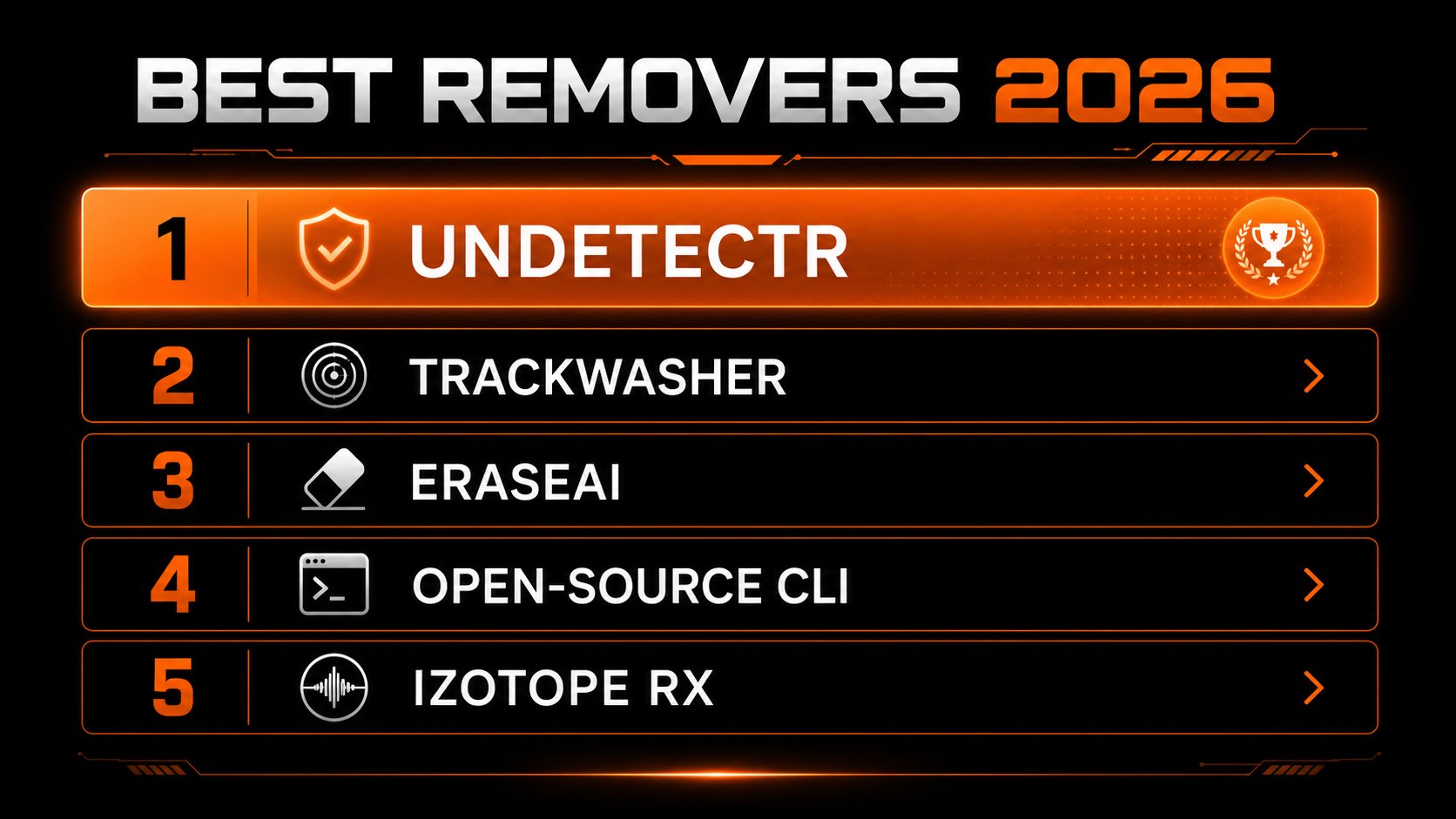
Undetectr
Best overall · purpose-builtStill the pick, on scope rather than on any pass rate. It is the only one of the six that pairs artifact processing with a mastering pass, so the file that comes out is closer to release-ready rather than merely processed, and it handles Suno, Udio, Stable Audio and Riffusion. Processing is browser-based and the vendor says it “usually takes under a minute”.
Pricing, read off its pricing page on 21 September 2026: €19 starter (10 credits) or €39 lifetime, founder pricing against a €99 regular price. Note the currency — this page previously listed both figures in dollars, which was wrong.
On its numbers: the site shows 97% detected before processing and 2% after. That is the vendor’s own measurement, on its own corpus, and no independent party has reproduced it. Treat it as a claim, not a finding. It also does not stop a platform labelling your track as AI, because that label never comes from the audio.
TrackWasher
Pay-per-track · most candidA dedicated fingerprint remover at $1.99 per track, no subscription and no account, processing in under 60 seconds with files held for 48 hours. It targets AI fingerprints, ID3 and metadata traces, phase regularities and stereo-field patterns across Suno, Udio, Boomy, AIVA, Soundraw, Mureka and ElevenLabs Music. No mastering pass.
It earns the second slot partly on candour: the site states plainly that it “can’t guarantee every track will pass every detector forever”. Given what the research says about how quickly classifiers move, that is the most accurate sentence any vendor in this category has published. At volume the per-track price overtakes a flat one-time plan somewhere around twenty tracks.
EraseAI
Suno-focused cleaner · our sister siteDisclosure first: EraseAI is run by the same people as this site, so read this entry accordingly. It focuses on cleaning Suno output — reducing synthetic artifacts, metallic edges and repeating patterns — and it is audio-specific rather than a repurposed editor.
It ranks third on the same evidence standard we are applying to everyone else: pricing is not published, there is no mastering pass, and it publishes no pass-rate claim. A tool that makes no claim is not worse than one that makes an unverified claim, but it does give a buyer less to go on.
ai-audio-fingerprint-remover (open source)
Free · technicalA free Python command-line tool for stripping AI fingerprints, watermark traces and metadata from audio. It is genuinely audio-specific and costs nothing, which makes it the right starting point if you want to understand what these tools do rather than trust a black box.
The trade-offs are real: no browser interface, no mastering, no published results, and outcomes that depend entirely on your own parameter tuning. Its GitHub page blocked our checks from this container, so we have described it from its published documentation rather than from a fresh read of the repository on 21 September 2026.
iZotope RX 11
Forensic repair · makes no AI claimAn excellent forensic and restoration suite — declipping, denoising, spectral repair — from around $399. It belongs on this list only because so many people arrive at it while searching for a watermark remover.
iZotope does not market it as an AI-detection tool and does not claim it affects AI screening. That is the fair statement, and it is more useful than calling it a failure at a job it never applied for. If your Suno track has audible damage, RX is the correct tool for the audible damage.
Adobe Audition / Audacity
General editors · makes no AI claimThe tools most people try first, at $22.99 a month and free respectively. DeNoise, EQ and manual spectral editing are effective on audible problems and neither vendor claims anything about AI detection.
Worth knowing: the published literature has tested speed and pitch manipulation against detectors, and found they degrade them. We are not aware of published results either way on EQ or dynamic-range compression — so “mastering defeats screening” is unevidenced in both directions, and anyone asserting it confidently in either is going beyond what has been measured.
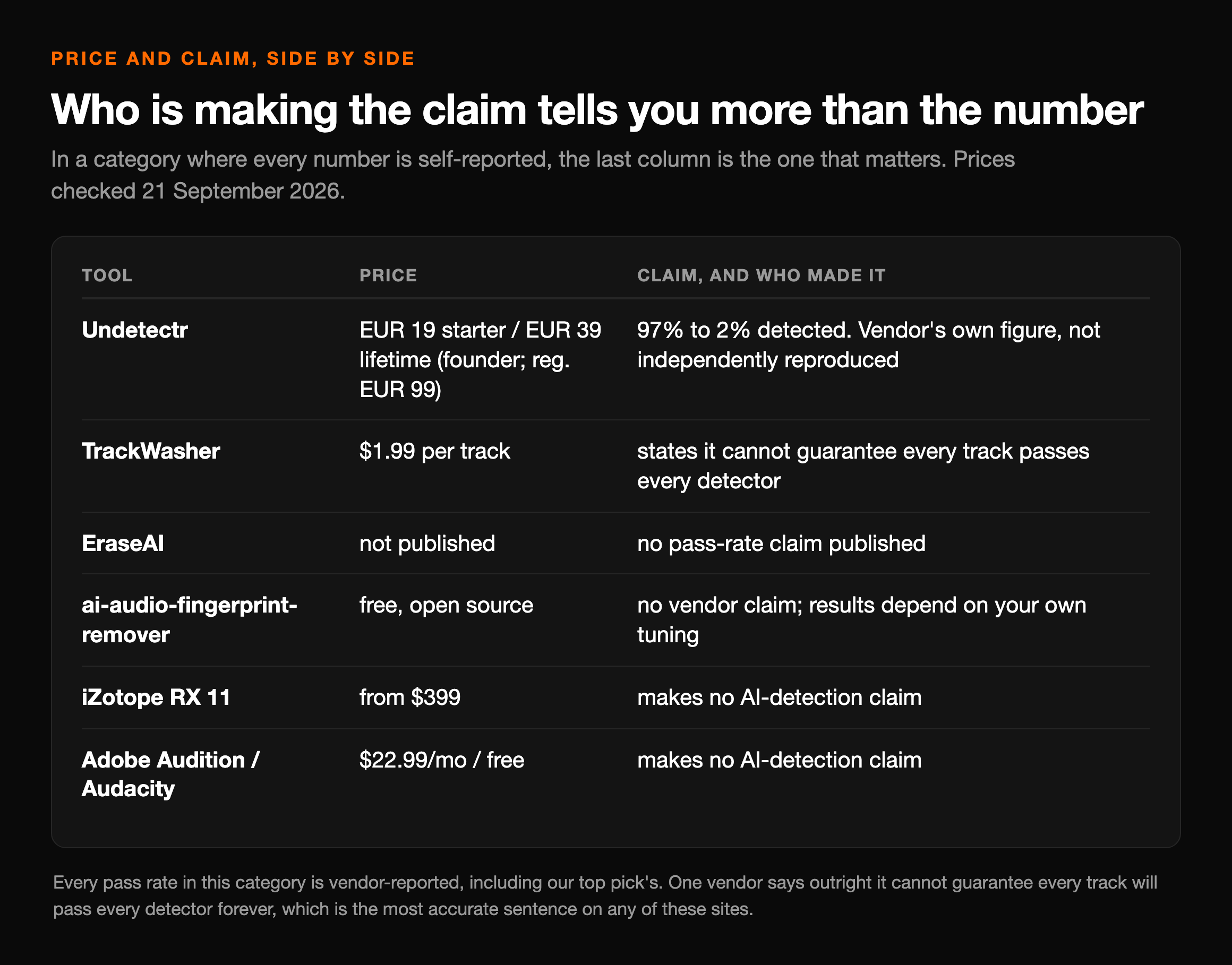
Price and claim, side by side
The column that matters most is the last one. In a category where every number is self-reported, who is making the claim tells you more than the number does.
| Tool | What it targets | Price (checked 21 Sep 2026) | Claim, and who made it |
|---|---|---|---|
| Undetectr | Generation artifacts + metadata, plus a mastering pass | €19 starter / €39 lifetime (founder; reg. €99) | 97% → 2% detected. Vendor's own figure, not independently reproduced |
| TrackWasher | Fingerprints, ID3/metadata, phase and stereo patterns | $1.99 per track | States it cannot guarantee every track passes every detector |
| EraseAI | Suno artifact cleanup (our sister site) | Not published | No pass-rate claim published |
| ai-audio-fingerprint-remover | Fingerprints, watermark traces, metadata — self-hosted | Free, open source | No vendor claim; results depend on your own tuning |
| iZotope RX 11 | Audible repair: declip, denoise, spectral | From $399 | Makes no AI-detection claim |
| Adobe Audition / Audacity | Audible noise, EQ, manual editing | $22.99/mo / free | Makes no AI-detection claim |
If a 97-to-2 swing reads as too good to be true, that scepticism is the correct instinct and worth following up — Suno Watermark works through the objection, and how to verify any tool in this category yourself.
Where generic editors stop, and where that argument breaks
The standard version of this argument says generic editors work the wrong layer: they edit what you hear, and the marker is below hearing. That is broadly right, and it is also where most articles overstate their hand. Here is the version the evidence actually supports.
- ✕That noise reduction or EQ changes a classifier's verdict — no published test either way
- ✕That any tool's pass rate holds next month, on a classifier that has been retrained
- ✕That removing a marker stops a platform labelling the track as AI
- ✕That distributors ban AI music — six accept it openly, including DistroKid and RouteNote
- ✓The detectable trace is architectural, not an inserted payload (ISMIR 2025)
- ✓Spectral analysis alone exceeds 99% accuracy on Suno and Udio
- ✓Detector accuracy collapses under speed and pitch manipulation (Jul 2026)
- ✓C2PA metadata is dropped by ordinary format conversion, no tool needed
So the reason to choose a purpose-built processor over Audacity is not that one removes a marker and the other does not. It is that one is built, and continuously re-tuned, against the specific spectral signature the published detectors key on, and the other was designed to fix clicks. That is a narrower claim than the one this page used to make, and it is the one that survives contact with the papers.
What to do instead, depending on why you are here
Three different problems bring people to this search, and they have three different answers. Diagnose which one you have before you spend anything.
Convert the file. Any ordinary export to MP3 or a distributor's own transcode drops C2PA metadata as a side-effect. Do not pay for this — and read the terms clause above on purpose before you go looking for a tool to do it deliberately.
This is row three: generation artifacts, plus whatever audible smearing the model left. Processing the audio is the relevant move here, and it is the one thing in this article a paid tool is genuinely for.
Nothing on this page helps, and nobody selling you a tool can help. That label travels in the DDEX disclosure your distributor submits. The honest answer is that this is a disclosure decision, not an audio one.
This is the most common version of the problem and the least served by removal tools. Distribution is largely a solved step; discovery is not.
For the second case, a purpose-built processor with a mastering pass is the shortest route to a file a distributor will take — our release-prep walkthrough covers the whole sequence.
For the fourth, be honest about the diagnosis. A cleaner file does not find you listeners, and the AI-music hashtags are a worse growth channel than they look. The routes that do not depend on algorithmic discovery are paid placement and direct sales: pitching for sync in TV, film, games and ads is where the real money conversation in this niche is.
Our #1 pick
Artifact cleanup and mastering in one pass
If screening is bouncing your track, this is the step that addresses it. €39 one-time — and it will not change how a platform labels your release.
Keep reading