AI Music
Suno Remaster in 2026: What It Actually Does to an Old Song
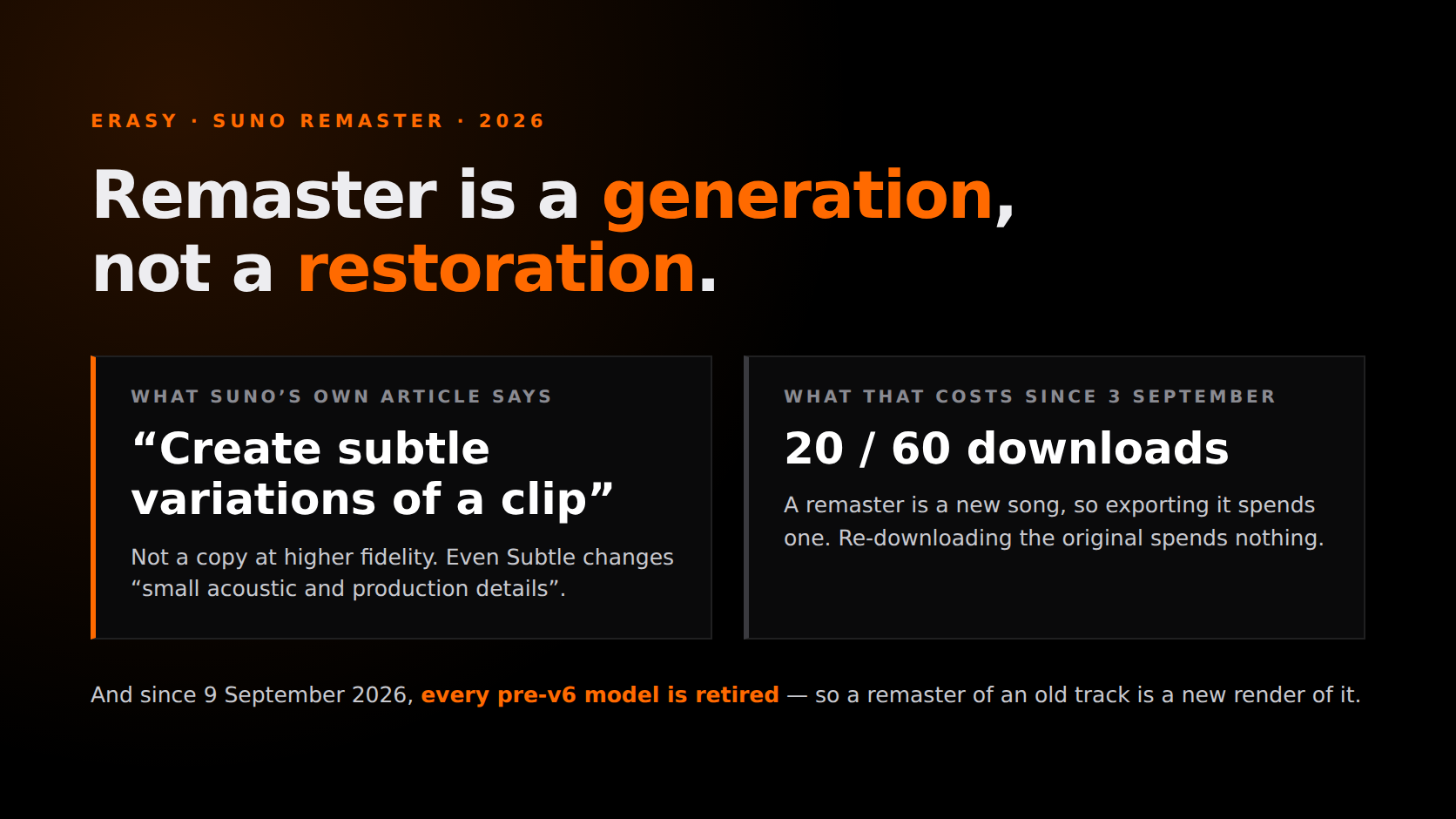
You have a library of songs made on a model that no longer exists, half of them thin or muddy in a way you could not fix at the time, and Suno has a button that says Remaster. The obvious hope is that Suno Remaster cleans them up. It does something else, and the difference costs real money now that downloads are metered.
Two things changed in September 2026 and no guide ranking for this keyword has joined them up. On 3 September download allowances arrived — 20 a month on Pro, 60 on Premier — and they apply to songs created before that date. On 9 September every model before v6 was retired, and Suno edited the Remaster help article the same day. We read that article, the v6 FAQ, the download-allowance article, the pricing page and the terms at source on 1 October 2026. Every quote below is verbatim from one of them; where a number is our arithmetic rather than Suno's, the line says so.
The short version
- Remaster is a generation, not a restoration. Suno's own words: it “allows you to create subtle variations of a clip”. It makes a new clip. It does not touch the audio file sitting in your library.
- Every remaster of an old song is now a v6-era render. All models prior to v6 were retired on 9 September 2026. Your old song stays unchanged; the thing that comes back is new.
- Credits are not the constraint — downloads are. On Pro, 2,500 credits buy roughly 250 remaster passes a month and you can export 20 of them. That is a ratio of about 12 to 1 (our arithmetic on Suno's published numbers).
- Re-downloading the original is free; the remaster is not. “Downloading the same song again does not use another download” — but a remaster is a different song, so exporting it spends one.
- There is no setting that returns the same take, cleaner. Even Subtle changes “small acoustic and production details”. If you want the file you have to sound better, that work happens after export, not inside Suno.
What Suno's Remaster actually does
Start with the sentence Suno uses, because the whole misunderstanding lives in one word of it. The Remaster help article says the feature “allows you to create subtle variations of a clip, giving you more control over the final sound”. Not copies. Variations.
It is reached from the Create menu, and it gives you two controls: a Model selector and a Variation strength. Suno lists what it is for in its own order — improve the overall sound quality, adjust the mix and balance of instruments and vocals, experiment with different sonic textures while keeping the same song, and enhance the clarity and pronunciation in the vocals. That last one is the tell. A process that can change how a word is pronounced is not cleaning a recording; it is singing it again.
The limit is stated in the same article: Remaster is “not intended for changing lyrics or drastically altering the musical style”, while Cover is “designed for significant transformations”. Both generate. They differ in how far they are allowed to travel.
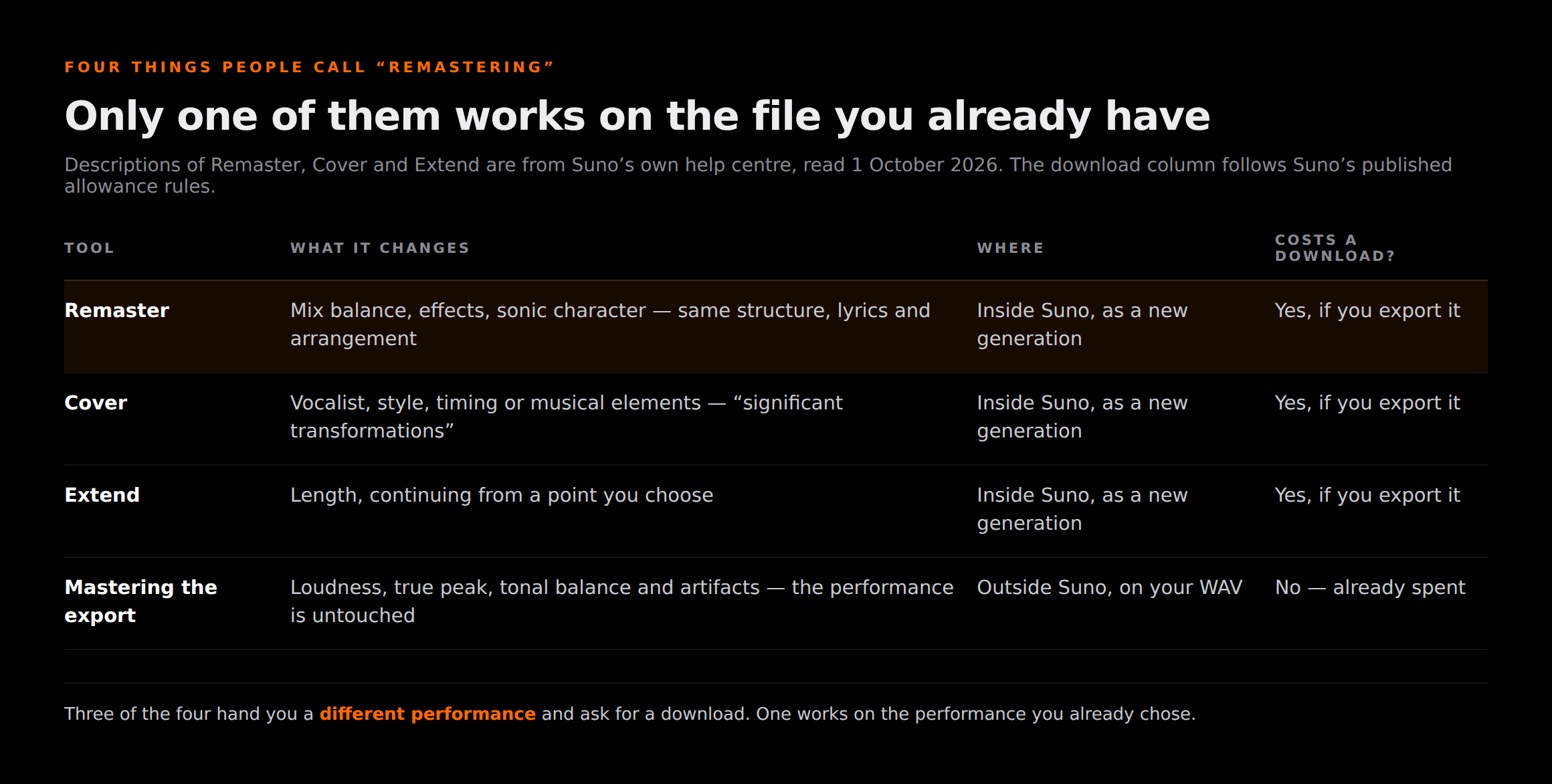
| Tool | What it changes | Where it happens | Costs a download? |
|---|---|---|---|
| Remaster | Mix balance, audio effects, sonic character and polish — same structure, lyrics and arrangement | Inside Suno, as a new generation | Yes, if you export the result |
| Cover | Vocalist, musical style, timing or specific musical elements — a significant transformation | Inside Suno, as a new generation | Yes, if you export the result |
| Extend | Length — more song, continuing from a point you choose | Inside Suno, as a new generation | Yes, if you export the result |
| Mastering the exported file | Loudness, true peak, tonal balance and artifacts in the audio you already have — the performance is untouched | Outside Suno, on the WAV or MP3 on your disk | No — the original export is already spent |
Read the last row against the first three. Three of these four options hand you a different performance and ask for a download; one works on the performance you already chose and costs nothing further. Most people reaching for Remaster want the fourth row and click the first.
The 9 September change that dated every guide ranking for this
Suno's v6 FAQ is blunt about it: “All models prior to v6 have been retired, but your songs will still be in your library and remain unchanged.” The same page confirms you can still listen to, share, remaster and cover songs made with old models. Both halves matter. Your v4 song is safe and frozen. Anything you generate from it comes back built by what Suno runs today.
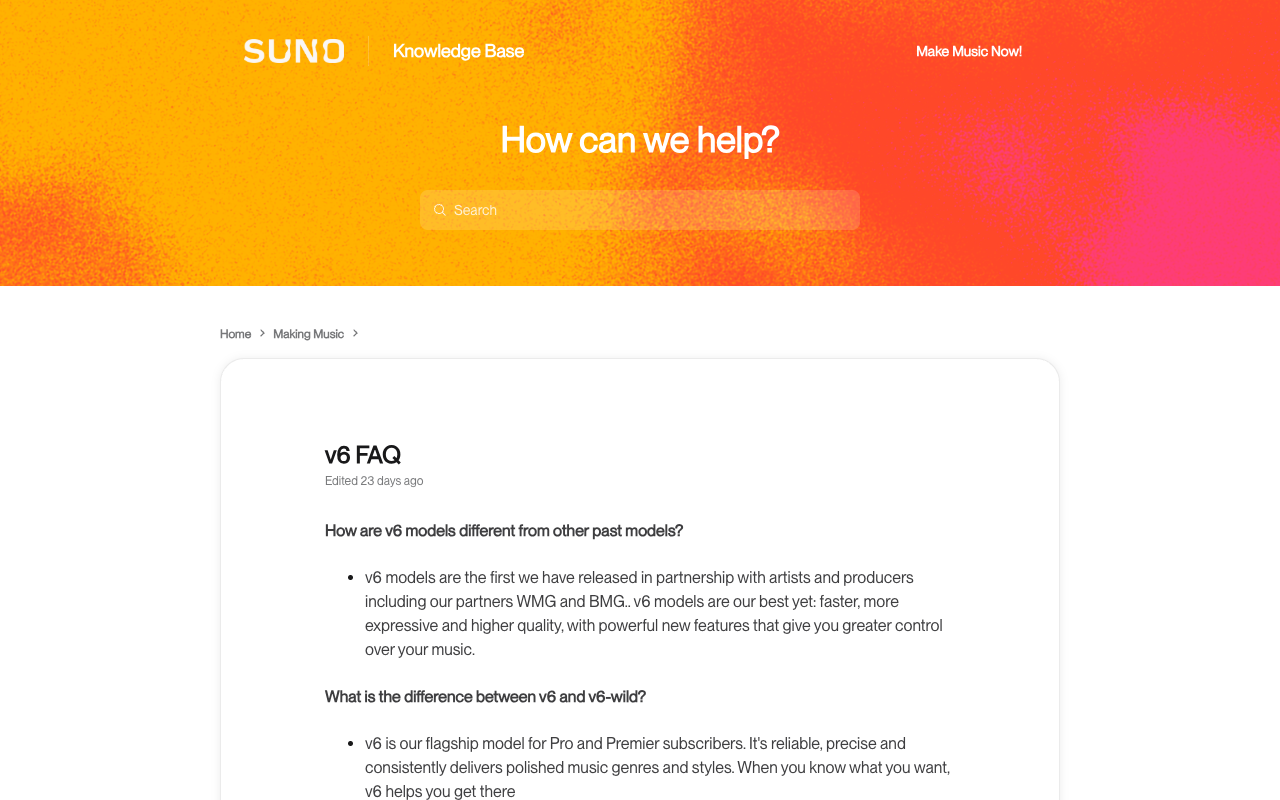
The Remaster help article carries an edit date of Wednesday, 9 September 2026 — the day the v6 models shipped and the earlier ones went away. That is not a coincidence, and it is the fact the published guides are missing. One of the three pages ranking for this keyword was updated in July 2026 and still walks you through choosing between v5.5, v5 and v4.5+ in the Model selector, describing how each one colours the result. Those options were retired seven weeks later. A second is built on an April 2025 base from the v4 era. The third, the best of them, says outright that model availability can change and declines to cover it — which is honest, and leaves the question open.
What we could not verify, and will not guess
Suno documents a Model selector inside Remaster and separately documents that every pre-v6 model is retired. It does not publish what the selector offers after that retirement, and confirming it needs an account with songs in it, which this review did not have. So: the control exists, the old options are gone from generation, and what remains in the dropdown is not something we are willing to state from a screenshot taken before September.
The practical consequence is the one nobody warns about. If you liked the way a v5.5 track sat — and plenty of people did, loudly — then remastering it is not a repair, it is a trade. You are asking the current model to perform your song, and the current model has its own character and its own complaints: the thin, dull, over-compressed results people have been reporting since the switch, which we went through in why Suno v6 sounds muffled. Run the remaster by all means. Keep the original where you can reach it.
Variation strength, read against what it admits
Remaster gives you three strengths, and Suno describes each one in a single sentence. Those sentences are more useful than any tutorial, because each of them concedes something.
| Setting | Suno's own description | What that means if you wanted a repair |
|---|---|---|
| Subtle | “Very close to the original; only small acoustic and production details are changed.” | The nearest thing to a repair — and still a change. Suno does not claim it preserves the take, only that it stays close. |
| Normal (default) | “Keeps duration and style the same while adding slight variations to musical details.” | The default is explicitly adding variation. If you clicked through without choosing, this is what you got. |
| High | “Creates more noticeable differences, including possible changes to musical elements and vocals.” | A new interpretation. Useful when you want one; the wrong answer to “this mix is muddy”. |
Line them up and the ladder has no bottom rung for the job most people want done. There is no “same performance, higher fidelity” option, because that is not what the feature is. Suno's practical guidance agrees with its own definitions: use Subtle “if you already like the track but want a slightly cleaner mix, smoother balance, or clearer pronunciation”. Cleaner, smoother and clearer are all adjustments to a fresh render.
So the sane default is Subtle, once, on a song whose writing and structure you are already happy with. If two passes at Subtle have not given you something you prefer, a third will not either, and each pair you export is an export you cannot spend elsewhere.
What a Remaster actually costs
No ranking page answers this, and since 3 September 2026 it is the question that decides how you use the feature. There are two meters.
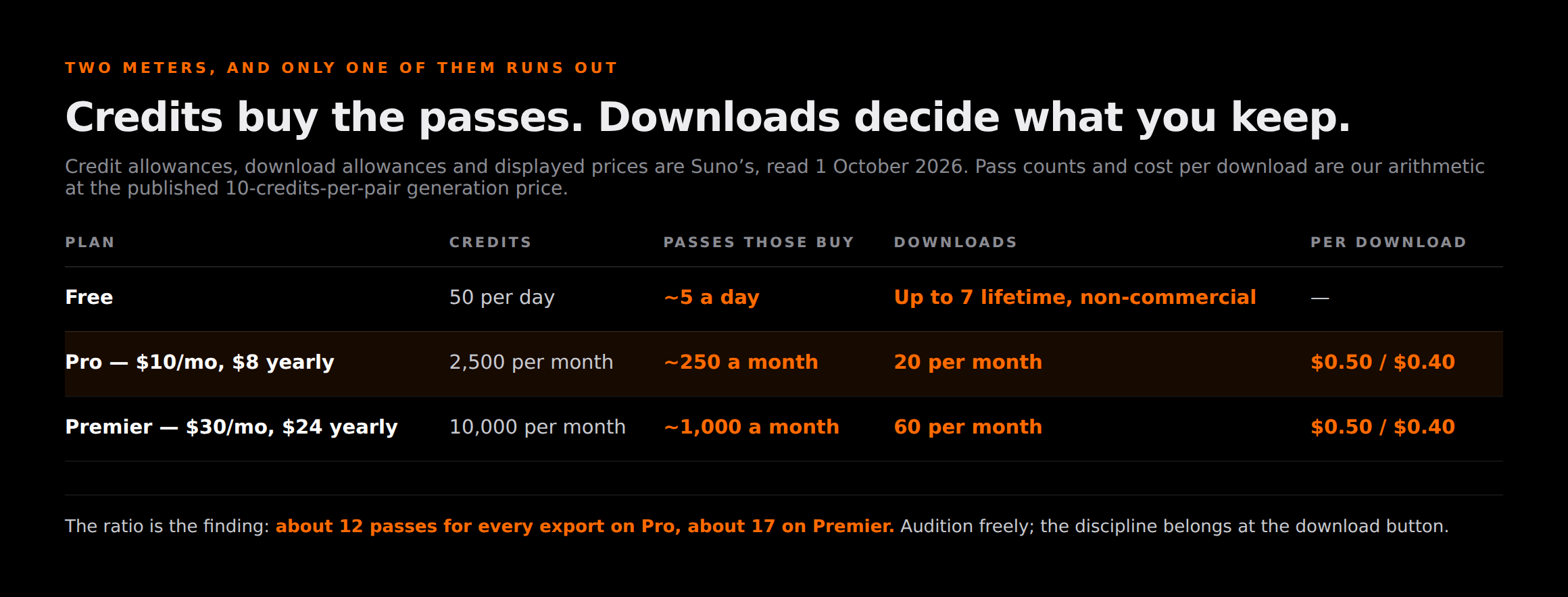
Credits pay for the generation. Suno's v6 FAQ prices an ordinary generation at “two songs with a total cost of 10 credits”; it does not publish a separate price for Remaster, and we are not inventing one — that is the closest published figure, and Remaster returns a pair the same way. Allowances, from Suno's pricing page on 1 October 2026: 50 credits a day on Free, 2,500 a month on Pro, 10,000 a month on Premier.
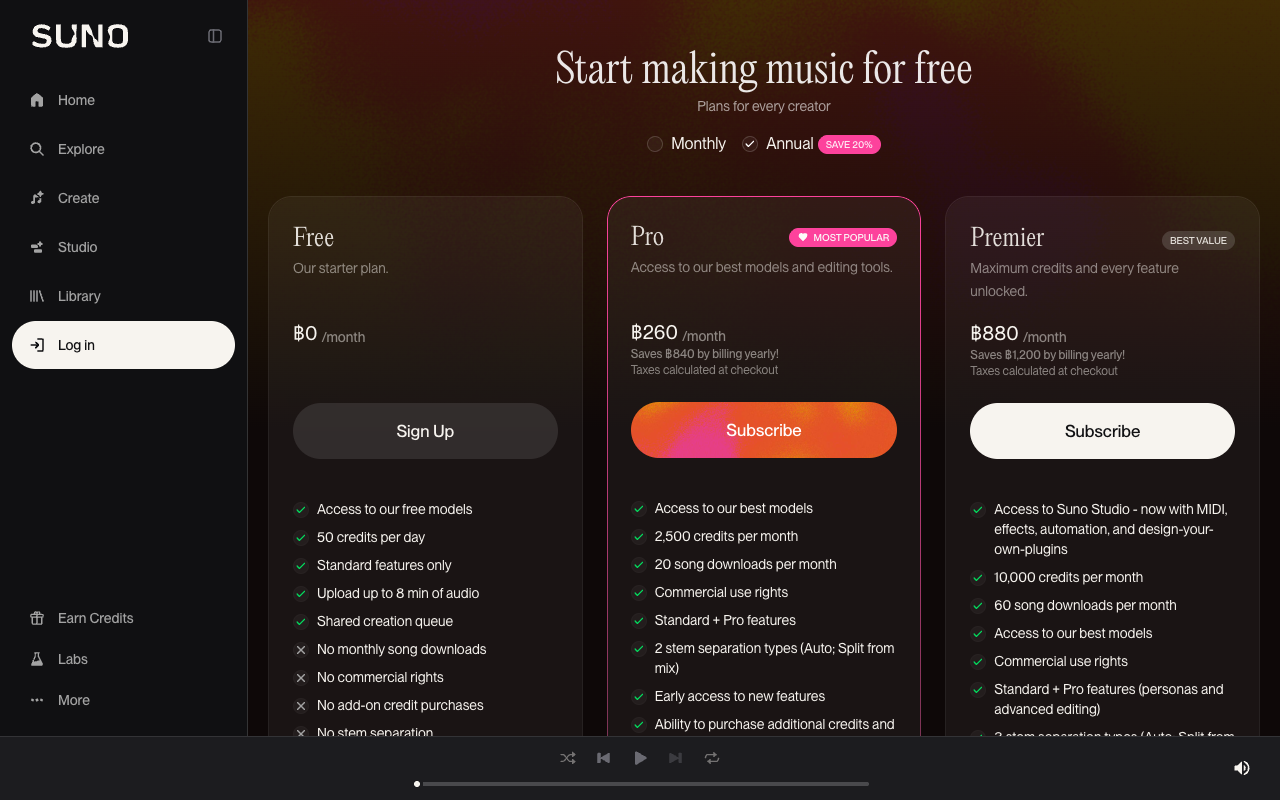
Downloads pay for keeping the result. The download-allowance article gives 20 a month on Pro and 60 on Premier, resetting on your billing date with no rollover, and up to 7 lifetime trial downloads on Free that are “for personal, non-commercial use”. Those limits apply to music created before 3 September 2026 as well as after it, which is the part that stung — we covered the fallout and the refund question in the Suno download cap and refunds.
| Plan | Credits | Remaster passes those credits buy | Downloads | Cost per download |
|---|---|---|---|---|
| Free | 50 per day | ~5 a day | Up to 7 lifetime trial, non-commercial | — |
| Pro — $10/month, or $8 billed yearly | 2,500 per month | ~250 a month | 20 per month | $0.50 monthly / $0.40 annual |
| Premier — $30/month, or $24 billed yearly | 10,000 per month | ~1,000 a month | 60 per month | $0.50 monthly / $0.40 annual |
Credit allowances, download allowances and prices are Suno's, read on 1 October 2026. The pass counts and the cost per download are our arithmetic on them, at the published 10-credits-per-pair generation price.
The ratio is the finding. On Pro you can run about 250 remaster passes a month and keep 20 of them. On Premier, about 1,000 passes and 60 keeps. Credits are not what runs out. The discipline a remastering session actually needs is at the export step: audition freely, then decide which few are worth a download, because that is the meter that empties and does not carry over. Our full breakdown of the allowances, including what does and does not count against them, is in the Suno download limits guide.
Keep the original file
There is a line in the download article that turns this from an expensive habit into a cheap one, and almost nobody quotes it: “Downloading the same song again does not use another download.” The same list adds that pulling a song in multiple formats still counts as one, that stems come included with that song's download, and that failed or interrupted downloads do not count.
So an original you have already exported is yours to re-fetch for free, for as long as it is in your library. A remaster is a different song in that library, which means it carries its own download. The order that follows from those two facts is the whole workflow: export the original first, then remaster. Do it the other way around and a pass you dislike has cost you a slot and left you with a version you did not want.
One more rule decides whether any of this is releasable. Suno's terms state that “you may not commercially exploit Output that has not been downloaded by you through an approved channel under these Terms of Service”, and free-tier output is limited to “lawful, personal and non-commercial purposes”. A remaster you love and never export is not a release. Suno is equally clear that the right to sell is not ownership: “granting commercial use rights does not guarantee copyright protection” — the territory we mapped in can you copyright AI music.
When Remaster is the wrong tool
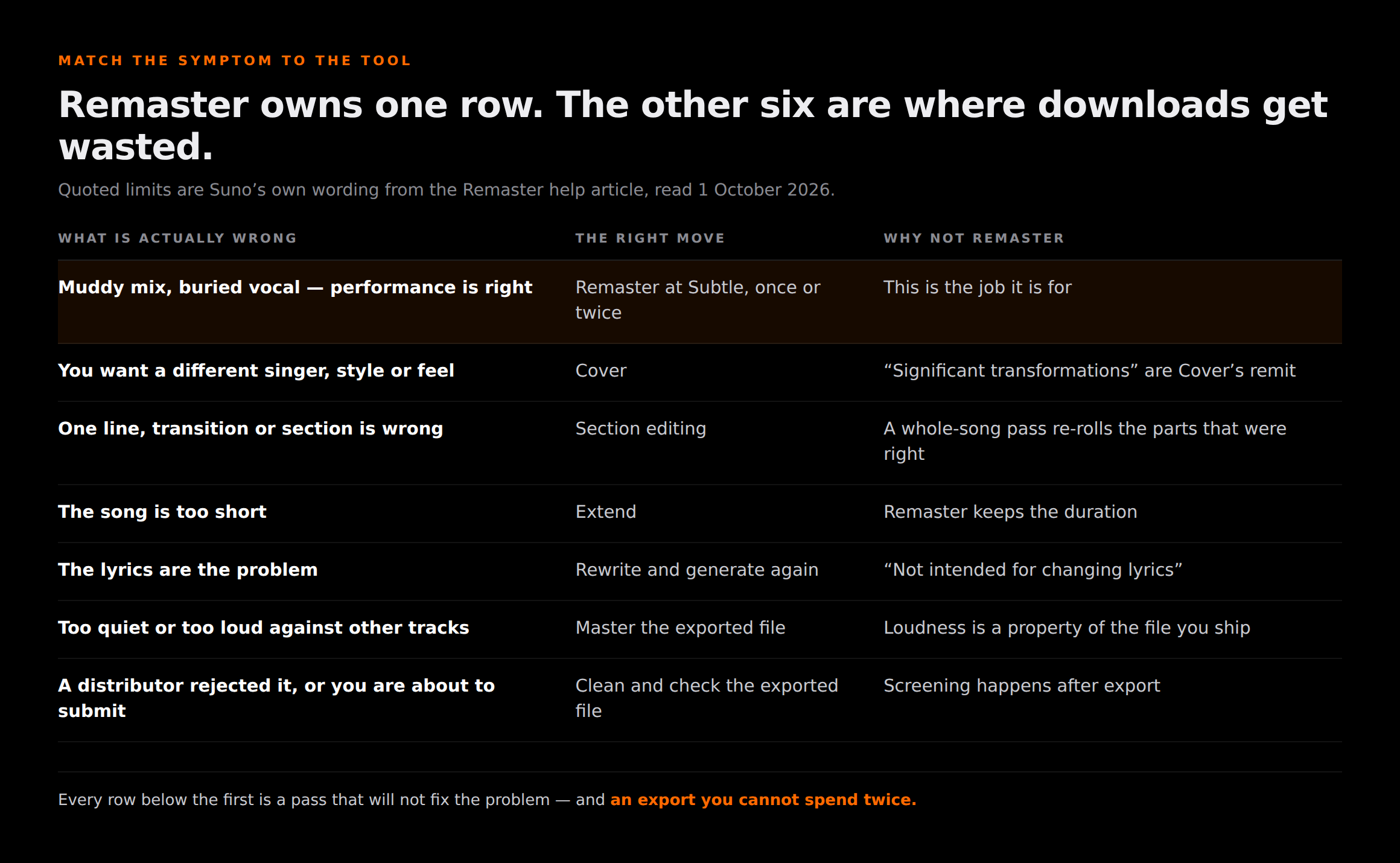
Most wasted passes come from pointing Remaster at a problem it was never built to solve. Match the symptom to the tool instead.
| What is actually wrong | The right move | Why not Remaster |
|---|---|---|
| The mix is muddy or the vocal is buried, but the performance is right | Remaster at Subtle, once or twice, then export the one you prefer | This is the job it is for |
| You want a different singer, style or feel | Cover | Suno reserves “significant transformations” for Cover; Remaster is “not intended” for a style change |
| One line, one transition or one section is wrong | The section edit tools, not a whole-song pass | A whole-song regeneration re-rolls the parts that were already right |
| The song is too short | Extend | Remaster keeps the duration — Normal says so explicitly |
| The lyrics are the problem | Rewrite and generate again | Suno states Remaster is “not intended for changing lyrics” |
| It is quiet, or too loud, against other tracks on Spotify | Master the exported file to platform targets | Loudness is a property of the file you ship, not of the generation |
| A distributor rejected it, or you are about to submit | Clean and check the exported file before upload | Screening happens after export; a fresh render is still a generated file |
What a Remaster cannot touch
Everything above happens inside Suno, and the gate that rejects AI releases does not. When you export, you hand a distributor a file, and its intake screening looks at that file — the generation artifacts and the signals a model leaves behind. A remaster is a fresh render from the same model family, so it arrives carrying the same class of evidence. Running one more pass is not a strategy for getting through the gate, and nothing in Suno's own documentation claims it is.
Worth saying plainly, because the forums blur it: that screening is a separate question again from whether a platform labels your release as AI. Labelling is driven by disclosure and delivery metadata, and no audio tool changes it. What a file-level pass addresses is the audible junk and the machine-readable signals in the audio itself. Our pre-upload sequence is in cleaning AI music for release.
The step that happens after the export, not before it
Remaster changes the performance. Cleaning changes the file you ship.
Undetectr targets the watermark signals and generation artifacts that distributors screen for at intake, on the WAV you already exported. It has no bearing on how any platform labels or credits a release — no tool does — and it is not a substitute for mastering. €19 for 10 tracks, or €39 one-time for unlimited.
After the remaster: the file still needs work, and then a buyer
A remastered export is a raw render, not a master. The targets are published and they are not a matter of taste: Spotify for Artists normalises to −14 LUFS and asks you to keep true peak below −1 dBTP, or below −2 dBTP if your master is louder than −14 LUFS. Hit those and the platform stops making the decision for you. We go through the per-platform numbers in LUFS for Spotify and every streaming platform, and the full pass in how to master AI music.
Then the honest part, which a page about a polish button owes you: none of this makes anyone hear the song. The hardest problem in AI music right now is not getting a track finished or distributed, it is that finished tracks land in front of nobody. A better-sounding remaster of a song with four plays is a song with four plays. If the point of fixing the audio is to earn from it, the routes that do not depend on being discovered are paid sync placements — TV, film, games and ads, where one brief pays more than a year of streaming and nothing has to trend first — and after that selling direct to the people who already like your work. The arithmetic on both, against streaming, is in 1,000 streams vs one sale.
The one-line version
Remaster asks a current model to perform your song again with the mix nudged; it does not reach into the file you already have. Use it once, at Subtle, on a song whose writing you are sure of — and export the original before you do, because that one is free and the new one is not.
Related reading on Erasy
Frequently asked questions

Eddie Mathews — Editor, Erasy
Eddie reads the help-centre article and the terms rather than the roundup, and marks the difference between what a company has said and what a tutorial has assumed. Where the public record does not settle a question, this site says so.
What does Remaster do in Suno?+
Will Remaster upgrade my old Suno songs to v6 quality?+
Does Remaster cost credits?+
Does remastering a song use one of my monthly downloads?+
Can I sell a remastered Suno track?+
Remaster or Cover — which should I use?+
Does a remaster make a track pass distributor screening?+
Disclosure: Erasy is an independent guide to AI music cleanup, and Undetectr is the tool we recommend and link to. Sources read at source on 1 October 2026: the Remaster definition, Variation strength descriptions, the Remaster-versus-Cover distinction and the article's 9 September 2026 edit date from Suno's Remaster help article (8105281); the model retirement, the remaster-and-cover-old-songs line and the 10-credits-per-pair generation price from Suno's v6 FAQ (13924481); download allowances, the repeat-download rule, the multiple-formats rule and the stems rule from Suno's download article (13926209); the retroactive application from 3 September 2026 from Suno's download limits announcement (13614785); plan credits, downloads and displayed prices from suno.com/pricing; the commercial-exploitation and free-tier clauses from Suno's Terms of Service (last revised 10 August 2026, effective 3 September 2026); the copyright caveat from Suno's commercial-use help article (9601665); loudness and true-peak targets from Spotify for Artists. Remaster pass counts and cost per download are our arithmetic on Suno's published allowances and prices, and are labelled as such above. Suno does not publish a credit price for Remaster specifically, and we do not state one. Competitor pages referred to in the v6 section were read on 1 October 2026 and are described, not linked. Nothing on this page is legal advice.