AI Music
Cleaning AI Music for Release: The 12-Step 2026 Checklist
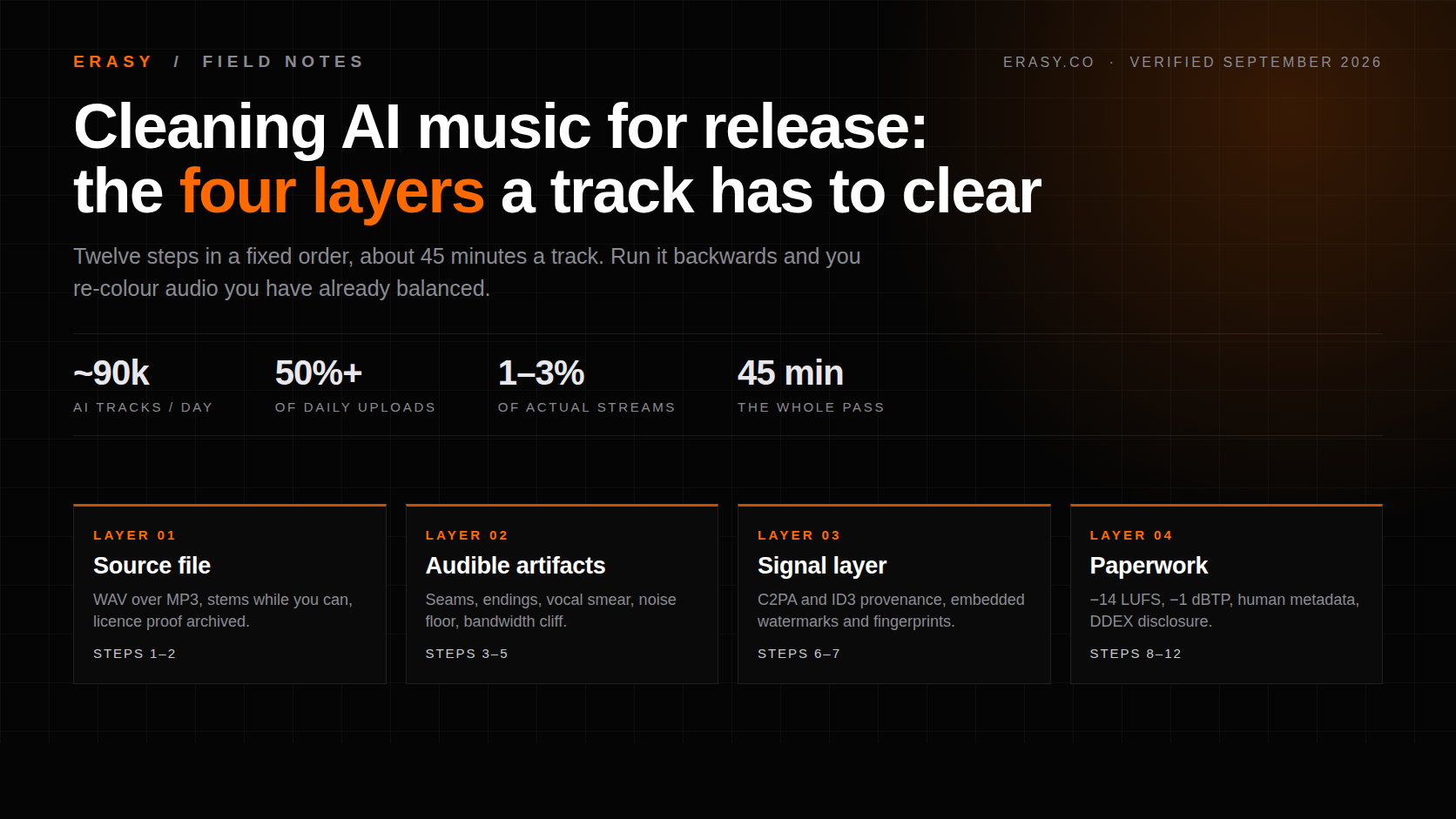
A distributor's AI screen runs once, at submission, before a single listener hears anything — and a track that fails does not come back with notes. Deezer now takes around 90,000 fully AI-generated tracks a day, more than half of everything uploaded to it, so every platform in the chain has built machinery to sort that pile and your track is in it. This is the checklist we run before release: twelve steps for cleaning an AI-generated track, in the order that actually works, with the ones that decide the outcome marked. We timed each step on Suno exports this week and dated every figure to the source that published it.
The short version, if you only fix three things: start from a WAV rather than the MP3 you already downloaded, deal with the signal layer before you master rather than after, and write metadata that does not read as machine output. Everything else on this list is worth doing. Those three are the ones people skip and then wonder about.
Key takeaways
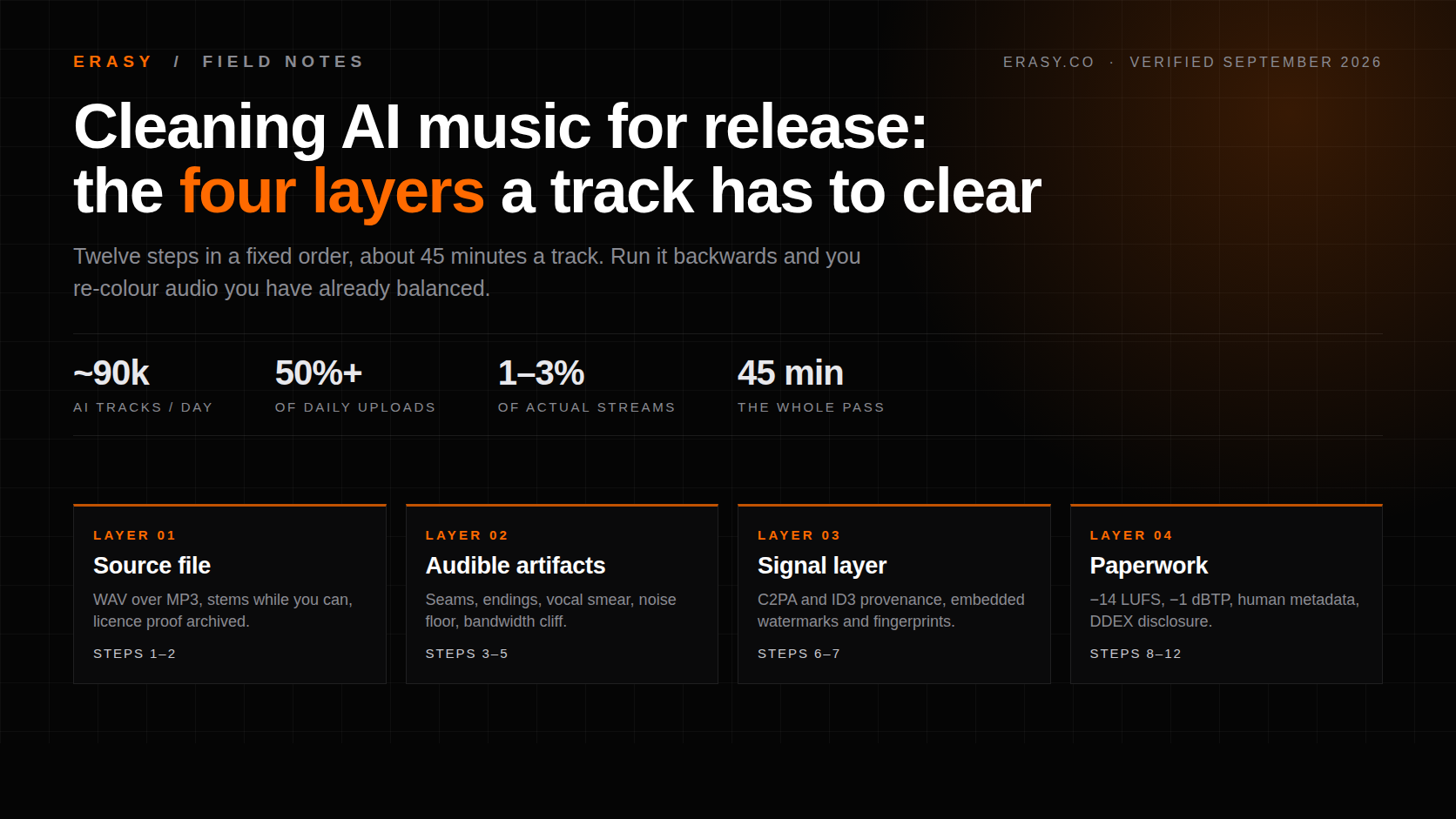
Order matters more than tooling. Cleanup before mastering, metadata last — run it backwards and you re-colour audio you already balanced.
The screen is at intake. Automated checks run at submission, and a rejection arrives without diagnostics. There is no second listener.
Volume is the reason the machinery exists. Deezer reported roughly 90,000 fully AI tracks a day in mid-2026 — over 50% of daily uploads, against 1-3% of actual streams.
Re-encoding is not cleanup. Watermark schemes are built to survive transcoding, noise and pitch shifts. Metadata stripping is a different, easier problem.
Budget 45 minutes a track. Most of it goes on artifact repair, which is the step no tool finishes for you.
Why "release-ready" stopped meaning "sounds finished"
Two years ago the only question about an AI-generated track was whether it sounded good enough. That is now the smaller half of the problem, because a second reader sits between you and the listener, and it is not using its ears.
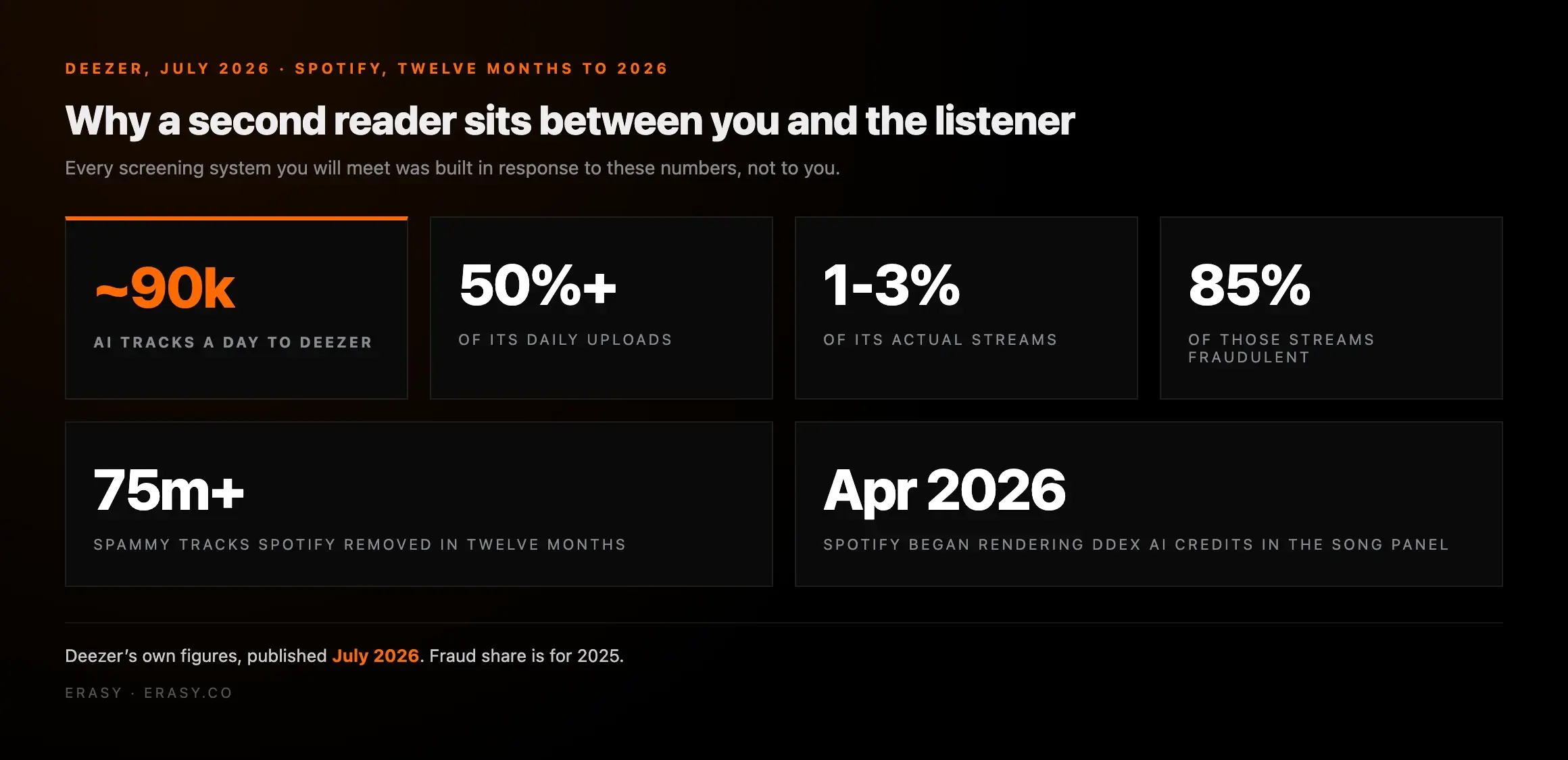
Those are Deezer's own numbers, published in July 2026: fully AI-generated music passed 50% of daily uploads for the first time, at roughly 90,000 tracks a day, while accounting for between 1 and 3% of streams — and up to 85% of the streams that fully AI tracks did get were identified as fraudulent in 2025. Deezer's newsroom post is worth reading in full, because it explains the incentive: the flood is real, most of it is not being listened to, and a meaningful slice of it is fraud. Every screening system you will meet was built in response to that, not to you.
Spotify made the same move from the other end, reporting over 75 million spammy tracks removed in twelve months alongside a new impersonation policy and a music spam filter that targets mass uploads, duplicate titles and artificially short tracks. Its position on legitimate AI use is explicit and worth quoting to anyone who tells you AI music is banned: it supports AI disclosures through the DDEX standard and does not down-rank music for being AI-assisted.
So the gate is not "is this AI". It is closer to: is this a finished record, does its signal look like the thousands of raw exports arriving today, and does its paperwork hold up. Those are three different jobs, and the checklist below is grouped that way.
The twelve steps, in order
Print this, or bookmark it. The order is the part people get wrong — mastering before artifact repair bakes in the artifacts, and touching the signal layer after mastering undoes the balance you just set.
| # | Step | What it fixes | Time |
|---|---|---|---|
| 01 | Pull the best source export | Compounding encode loss | 2 min |
| 02 | Archive the file and the licence proof | Rights challenges later | 3 min |
| 03 | Repair seams, clicks and endings | The obvious tell | 10 min |
| 04 | Clean vocal smear and sibilance | The second obvious tell | 8 min |
| 05 | Fix the noise floor and spectral ceiling | Statistical fingerprint | 5 min |
| 06 | Strip provenance metadata | C2PA / ID3 generator tags | 1 min |
| 07 | Process the signal layer | Embedded markers, fingerprints | 5 min |
| 08 | Master to platform loudness | Quiet, flat playback | 5 min |
| 09 | Set true peak, check mono | Encoder clipping, phone playback | 3 min |
| 10 | Write human metadata | Spam-filter triggers | 5 min |
| 11 | Make the AI disclosure call | Undeclared-AI position | 2 min |
| 12 | Final reference pass | Everything you missed | 10 min |
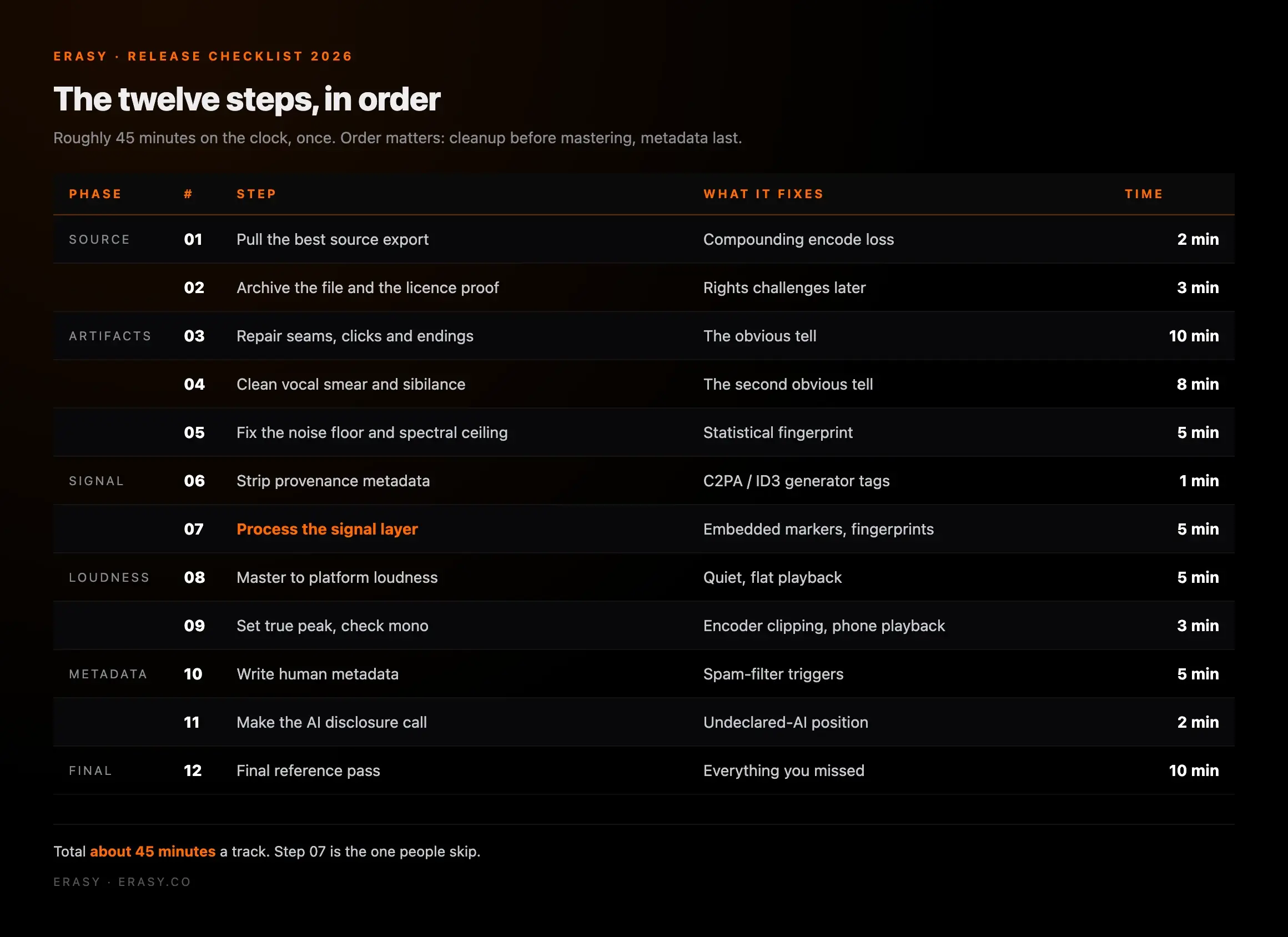
Roughly 45 minutes on the clock, once. Compared with the alternative — a rejected release you cannot diagnose, or a live track that no algorithm will ever recommend — it is the cheapest part of the whole process.
Steps 1-2: start from the best file you will ever have
Every process after this one compounds whatever the first encode threw away. If the option exists, take WAV, and take the stems while you are there — stems are the hardest thing to reconstruct later and the most useful thing to have when step four turns out to be a vocal problem.
This got more urgent on 3 September 2026, when Suno began metering downloads: 7 lifetime on Free, 20 a month on Pro, 60 a month on Premier, applied retroactively to everything in your library. One song counts once regardless of format, so pulling WAV and MP3 of the same track costs a single download, and stems bundle in free. We covered the policy in our review of Suno's download limits and the export routes in the bulk downloader comparison.
Step two takes three minutes and is the one people mock until the day they need it. Keep a folder per track: the raw export, the prompt or lyric notes, the stems, and a dated screenshot of the plan you generated on. Distributors do sometimes ask for proof of the commercial licence behind a generative track, and "I definitely had Pro in March" is not proof.
Steps 3-5: repair what the generator actually leaves behind
This is the longest part of the pass and the part that decides whether the track sounds like a record. The failure modes are consistent enough to check as a list.
- ✕Seams where sections were stitched, audible as a click or a level jump
- ✕An ending that stops rather than resolves, or fades unnaturally fast
- ✕Smeared consonants and inconsistent sibilance on the vocal
- ✕A suspiciously clean noise floor with nothing under about 20 Hz
- ✕A hard spectral shelf where the model's output bandwidth ends
- ✕Transients that are all the same shape, bar after bar
- ✓Repaired or crossfaded transitions with no level discontinuity
- ✓A deliberate ending — resolved, faded, or hard-cut on purpose
- ✓De-essed, evened vocals with breaths left in rather than gated out
- ✓A plausible noise floor instead of digital silence between phrases
- ✓No abrupt bandwidth cliff visible in a spectrogram
- ✓Dynamic variation that survives a look at the waveform
Two practical notes. First, look at a spectrogram, not just the waveform: the bandwidth cliff and the flat noise floor are invisible on a waveform display and obvious the moment you switch view. Second, do not gate the breaths out of a vocal to "clean" it. Breath removal is one of the things that makes a performance read as synthetic, and it is the step most often applied by people trying to make a track sound more human.
A general-purpose DAW can do all of this, but slowly, and it cannot show you what it cannot analyse — we compared the tools that are built for it in our scored ranking of AI music artifact removal software.
Steps 6-7: the layer nobody hears and everybody scans
Step six takes one minute: strip the provenance metadata. AI exports commonly carry generator tags in ID3 fields and, increasingly, C2PA content credentials — a signed provenance record designed to travel with the file. That is the easiest signal in the chain to read and the easiest to remove, and removing it is legitimate housekeeping on a file you own.
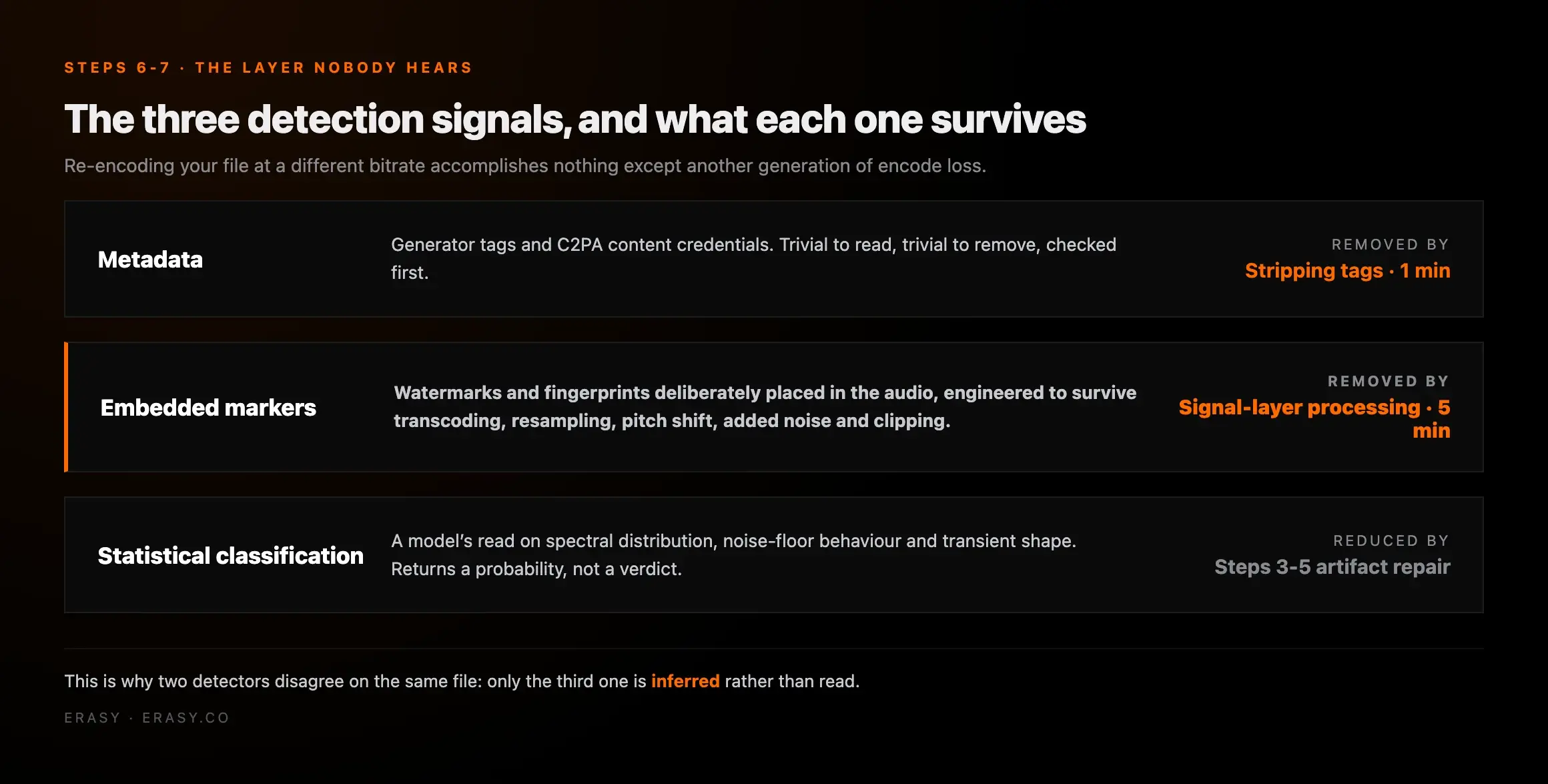
Step seven is the one with the myths attached. Audio watermarks and acoustic fingerprints live in the signal itself, and they are engineered specifically to survive transcoding, resampling, pitch shifts, added noise and clipping — that is the design brief, because a marker that died on the first MP3 encode would be worthless to whoever embedded it. Re-encoding your file at a different bitrate accomplishes nothing here except another generation of encode loss.
What the three detection signals actually are
Metadata: generator tags, C2PA content credentials. Trivial to read, trivial to remove, checked first.
Embedded markers: watermarks and fingerprints deliberately placed in the audio, built to survive ordinary processing. Not removable by re-encoding.
Statistical classification: a model's read on spectral distribution, noise-floor behaviour and transient shape. This is why a detector returns a probability rather than a verdict — and why two of them disagree on the same file.
Suno's August 2026 announcement committed the platform to audio watermarking and fingerprinting on no published date, which is the reason this step moved up everyone's priority list this year — we set out what is actually confirmed in our piece on Suno's new watermark. And before you use a public detector as a pass/fail gate, read what those scores actually mean: they are useful for information and terrible as a verdict.
Steps 5, 6 and 7 in one pass
The signal layer is the part a DAW cannot show you.
Undetectr handles the layer between mixing and metadata — generation artifacts, embedded watermarks, C2PA provenance and noise-floor patterns — in a single pass, so you can run steps five through seven of this checklist before you master rather than fighting them in a spectrogram.
Steps 8-9: loudness and true peak, after the cleanup
AI exports almost always arrive quiet and flat rather than loud, so this step is usually about adding controlled level and restoring transient life, not taming a hot master. Every major platform normalises playback, which means a louder master is turned down rather than rewarded.
| Platform | Integrated LUFS | True peak | What happens if you ignore it |
|---|---|---|---|
| Spotify | ≈ -14 | -1 dBTP | Loud masters turned down; you gave up dynamics for nothing |
| Apple Music | ≈ -16 | -1 dBTP | Quietest target of the majors; -14 still normalises fine |
| YouTube | ≈ -14 | -1 dBTP | Turned down on playback, no penalty beyond that |
| Amazon Music | ≈ -14 | -1 dBTP | Same normalisation model |
| Tidal | ≈ -14 | -1 dBTP | Same normalisation model |
| Deezer | ≈ -15 | -1 dBTP | Sits between Spotify and Apple |
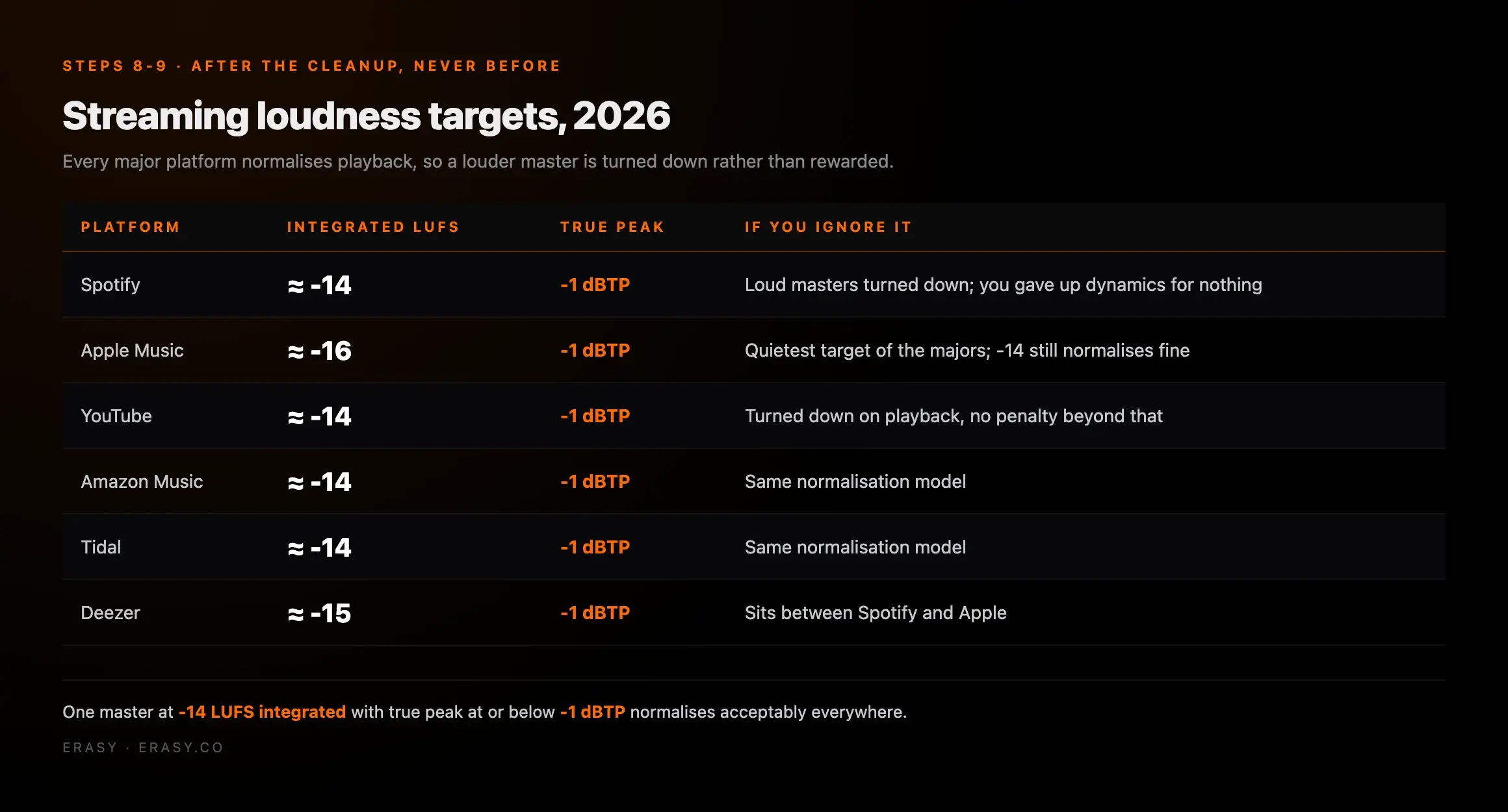
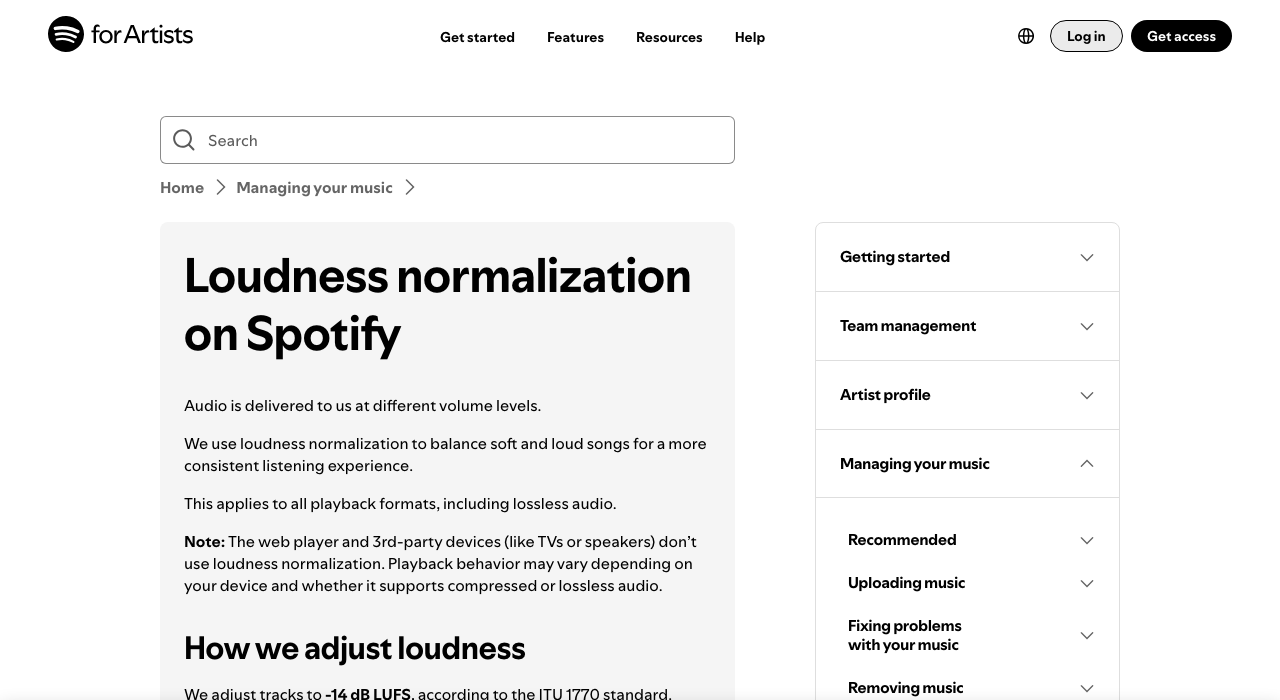
One master at roughly -14 LUFS integrated with true peak at or below -1 dBTP normalises acceptably everywhere, and most distributors only accept one file anyway. The -1 dBTP ceiling is not superstition: lossy encoders push inter-sample peaks above where your digital meter showed, so a master that looked clean at 0 dBFS can clip in the encoded version a listener actually hears. The full per-platform detail is in our LUFS targets guide, and Spotify documents its own normalisation behaviour in its loudness article for artists.
Step nine is thirty seconds of mono checking. Collapse the mix to mono and listen for anything that disappears — wide synthetic stereo effects on AI output sometimes cancel badly, and a phone speaker is mono.
Steps 10-11: metadata that reads human, and the disclosure call
This is where an otherwise clean release gets itself flagged. Spotify's spam filter targets mass uploads, duplicated titles, keyword manipulation in metadata and artificially short tracks — none of which is about audio at all. A batch of twelve tracks uploaded in one evening, titled with the same keyword pattern and credited to an artist name that resembles a real one, is the exact shape that filter looks for.
| Platform | Stated position on AI music | What it actually does |
|---|---|---|
| Spotify | Does not down-rank AI-assisted music | Surfaces DDEX AI credits in the song panel; spam filter and impersonation policy handle the rest |
| Apple Music | Accepts AI transparency tags in delivery | Providers are expected to tag AI use in audio, artwork, composition or video |
| Deezer | Tags fully AI tracks for listeners | Excludes detected AI from algorithmic and editorial recommendation |
| DistroKid / TuneCore | Accept AI music with rights and disclosure | Automated checks at submission; may ask for proof of commercial licence |
| YouTube | Requires altered-content disclosure | Disclosure surfaces in the description; Content ID applies as normal |
Then the disclosure decision, and we will state our position rather than hedge it: declare. Since April 2026 Spotify has rendered AI credits submitted through the DDEX standard in the song's credits panel, with tens of thousands of declarations arriving daily, and it says explicitly that AI-assisted music is not down-ranked for it. Declaring costs you a checkbox. Not declaring does not make a track undetectable — it hands the classification decision to a system that will make it without you, and an undeclared track later identified as AI is a materially worse position than a declared one.
What we would not do is put "AI" in the track title. The disclosure belongs in the metadata field built for it, where it travels cleanly to every platform. The title is for the song.
Step 12: the twenty-minute final pass
Everything above is fixing. This last step is checking, and it catches the thing you were too close to hear an hour ago.
Pick a commercially released track in the same genre, level-match it, and switch between them. Differences you have stopped hearing become obvious in the first four bars.
Mono, no low end, worst case. If the vocal disappears or the mix turns to mush, that is where most of your listeners are.
Clicks at the boundaries and abrupt starts are the most common thing that survives a whole cleanup pass unnoticed.
Confirm the bandwidth cliff is gone and that nothing you did in mastering reintroduced a hard shelf or a flat silence between phrases.
Title, artist, credits, ISRC, disclosure flag, artwork. Read it as a stranger would — does this look like a record or like output?
Save the project and the export together. If a rejection arrives, you want to be able to change one variable rather than start again.
If you get rejected anyway
First rule: do not resubmit the identical file. The same automated check produces the same result, and a pattern of repeated rejections is not a neutral event on a distributor account.
Rejections generally name a category even when they give no detail — rights, metadata, or content. Rights means they want the licence proof from step two, which is the easy case. Metadata means something in your title, artist name or credits tripped a pattern check. Content is the broad one, and it is where the signal work in steps five through seven earns its place. Fix the specific category, run the rest of the list while you are in the file anyway, and resubmit as a new release.
And keep the timeline honest with yourself: a distributor screen takes days, so a rejection two days before a planned release date is a cancelled release. Build the checklist into the week before submission, not the night before. More on the upload-side specifics in our guide to distributing AI music without getting flagged.
One pass, before the distributor sees it
Run the cleanup once. Release without wondering.
Undetectr covers the middle of this checklist — generation artifacts, embedded watermarks, C2PA metadata and noise-floor patterns — in a single processing pass, on a one-time Lifetime plan rather than a subscription.
Keep reading
- Best AI music artifact removal software 2026, scored and ranked
- How to distribute AI music without getting flagged
- LUFS for Spotify and every streaming platform: 2026 targets
- AI music detectors: what they actually see, and why they disagree
- Suno's new watermark: what lands, when, and what to do first
- How to master AI music: loudness, LUFS and one-pass cleanup
Frequently asked questions

Eddie Mathews — Editor, Erasy
Eddie covers the practical mechanics of releasing AI-assisted music — cleanup, distribution and monetisation. He ran each step of this workflow end to end before writing it up, and dates every figure so you know when it was last checked.
How do I clean an AI-generated song before release?+
Do distributors actually reject AI music, or is that overblown?+
Will re-encoding to MP3 or adding noise remove an AI watermark?+
Should I disclose that a track was made with AI?+
What LUFS should an AI-generated track be mastered to?+
Does deleting the metadata get a track past AI detection?+
How long does this whole checklist take per track?+
My release was rejected. What should I do first?+
Disclosure: Erasy is an independent guide to AI music cleanup, and Undetectr is the tool we use and link to. Upload and stream figures are Deezer's own, published July 2026; Spotify's spam-removal number, impersonation policy and DDEX AI-credits position are from its own announcement. Loudness targets verified against platform documentation. Distributor policy summaries reflect published rules as of 4 September 2026 and change without notice — check your distributor's current terms before you submit.